
LIFESTYLE
Heat Press Not Heating Up: A Check for Each Symptom
A heat press not heating up needs a symptom check first: power, settings mode, a cold platen, or heat that stalls, so you do not replace the wrong part.

You set the temperature, you wait, and the upper platen is still cold under a careful hand. A heat press not heating up can be the cord, a screen that never left its settings, or a part inside the machine.
Match the screen to the metal before you buy a heating element. This page covers the outside checks that are safe to do yourself, the Hotronix settings that block heat, and the point where the maker should take over.
What Is Going On Inside a Heat Press?
The heat lives in the upper platen, where coils run through the metal and a sensor tells a controller when to switch them on and off. You choose a set point, the controller asks for power, and the platen is supposed to climb until the sensor says it has arrived.
Hotronix builds that sensor as a platinum-coated RTD probe pushed into the top of the platen, so the number on the screen is meant to be the surface the shirt actually meets. A floating upper platen is there for even pressure, not for extra heat, which is why a press can feel uneven in the print and still be hot.
A transfer that will not stick is a different job from a platen that never warms. Time, pressure, and a cover sheet can all spoil a print while the metal is doing what the screen says, so feel the platen, with care, before you take the machine apart.
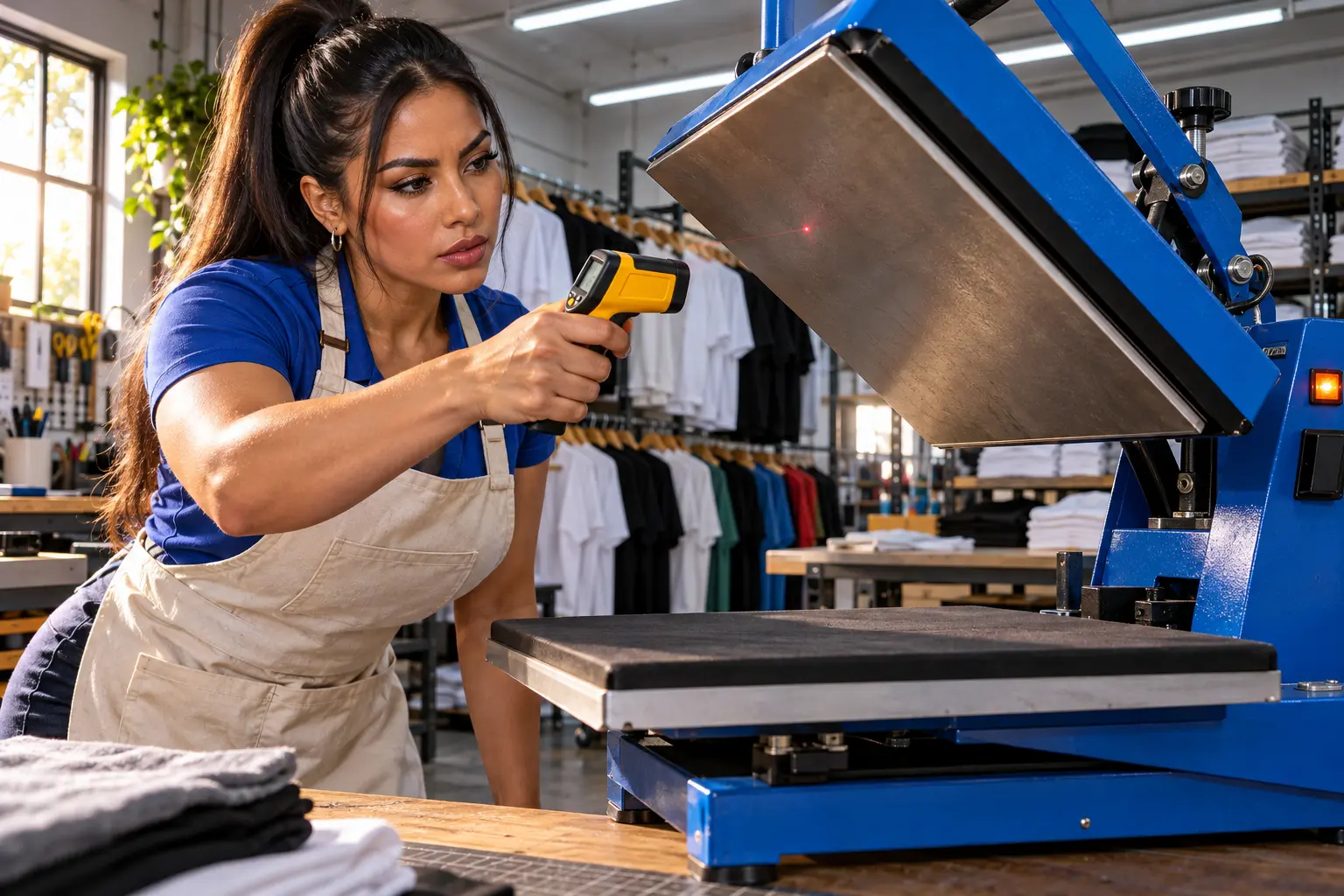
Heat Press Not Heating Up by What the Display Does
Write down three things before you order anything: whether any lights are on, what number is on the screen, and whether the platen is room-cool, warm, or close to the set point. Those three facts split the problem, and the table is the sort.
| What you see | Check this first | Hand it off when |
|---|---|---|
| No lights and a blank screen | Cord seated at the wall and at the press, a live outlet, the breaker | A known-good outlet and a sound cord still leave it dark |
| Lights on, platen stays room-cool | Settings mode, then a real target above room temperature | You have left settings and the metal is still cold |
| The number climbs, then sticks short of the set point | A shared outlet, a power strip, or a light extension cord | A direct wall outlet still will not finish the climb |
| The screen shows the set point, and the transfer will not stick | Pressure, time, and any sheet between the platen and the shirt | The transfer instructions still fail on a hot, even platen |
| Heat comes and goes when the cord moves | The plug and the lead into the back of the press | The cord is nicked, warm at the plug, or only works if you hold it |
| A code, or a screen that will not answer the buttons | That exact code in the manual for your model | The code comes back after a restart |
Hotronix pressure, if your model shows it, reads 1 to 3 for light, 4 to 6 for medium, and 7 to 9 for firm, which belongs in the row where the screen already looks right. An extension cord, when you have no other choice, should be the only thing on that cord and at least 12 gauge, which is the size Stahls names for its presses. Hotronix sells both 110 volt and 220 volt machines, so the voltage on the nameplate has to match the outlet before any of the later checks mean anything.
Power Checks Before You Open the Press
Power is the only layer you should settle while the housing is still closed. A press that draws hard on a shared circuit can look broken when the breaker or a thin cord is the limit.
- Switch the press off, unplug it, and let the platen cool before you handle the cord or the housing.
- Plug a lamp into the same outlet. A dead lamp means you reset the breaker or move to another outlet before you blame the press.
- Push the cord home at the wall and at the inlet on the machine. If the platen heats only while you twist or hold the plug, stop. That lead is loose, and a loose lead can arc.
- Take the press off power strips and off any outlet that also feeds a heater, a dryer, or a second press.
- Look at the fuse or resettable breaker only if your manual shows one you can reach without opening the platen, and only after the press is unplugged.
Hotronix says a dedicated 20-amp outlet is recommended for its heat presses. Other manuals print a lower number for a smaller machine, so the plate on your press wins over a generic tip from a different brand.
A Siser Digital Clam manual ties a shared or undersized circuit to erratic readings on the controller, slow heat-up and a tripped breaker. If the lights die in the middle of a press, that pattern fits a circuit giving up, not a platen that forgot the set point.
MATCH THE FUSE YOU REMOVE
- The rating: The new fuse or breaker has to match the amp value printed on the old part or on the holder.
- The risk: A higher rating keeps the circuit closed through a fault the old part was meant to open.
- The cord: A cut, a burn mark, or a plug that only works at one angle means you replace the cord, not the heater.
On Hotronix Auto Clam and Maxx Clam presses, the maker has a short video for swapping the circuit breaker, and that video starts with the press unplugged from the wall. If the lights are on and the platen is cold, the breaker is not your first suspect, and the next section is.
Settings Mode on Clam and Fusion Presses
Stahls’ heat press FAQ answers a press that will not heat with a step most part lists skip. On several Hotronix controllers the machine can be powered, lit, and still not heating because it never left the screen where you change the numbers. You have to leave settings mode before the platen will heat.
Clam Basic, Maxx, and Auto Open
- Look down the side of the control panel for the mode lights.
- If any light along that row is still on, press the mode button.
- Keep going until every one of those lights is out, which is the state Stahls says will let the press heat.
Fusion IQ and a Touch Screen
On a Fusion IQ, Stahls says a touch anywhere on the screen leaves settings mode. Some other controllers, including at least one swing-away manual, will not start heating until you confirm the set point with a set button, and a standby state can show OFF while the platen cools on purpose.
WAKE IT BEFORE YOU PART IT
- The target: The number you stored has to sit above the room, or the controller has nothing to chase.
- The unit mark: A Celsius set point and a Fahrenheit one are not interchangeable, so match the mark on the screen to the transfer sheet.
- The wait: Give the press the warm-up time printed in its own manual before you call the platen dead.
A frozen Maxx or Auto Open controller has a separate reset on that same Stahls page, and it is only for those models. Turn the press on, hold the plus and minus buttons at the same time until the display blinks, which takes about 10 seconds, then turn it off, wait 5 seconds, and turn it on again. If the screen was already answering and the platen stays cold after you leave settings, the heater circuit is the next place to look, and that is not a button sequence.
A Platen That Stays Near Room Temperature
One maker’s support page for its Signature Series treats a display sitting around 50 to 100°F as room temperature, and as a sign that an internal part may need replacing. Dead cold, with the controller asking for heat, means power is not arriving at the element. The parts in that path are the relay, a thermal cutoff that opened on purpose, a loose high-current connection, or the element itself.
Some maker pages describe a relay test that ties the element straight to power for a moment. Treat any test like that as a few seconds of diagnosis from that model’s own instructions, then put the wires back and unplug the press. Left in that state, the platen can run past the set point and damage the element, so a general article is the wrong wiring diagram.
STOP BEFORE THE HOUSING COMES OFF
- Unplugged: The press is off, unplugged, and cool before any panel screw turns.
- Same part: A thermal cutoff opened for a reason, so a new one with no look at why it opened can fail again.
- Warranty path: If the press is still covered, the maker would rather see the symptom than a press you have already opened.
A platen that is only warm when the lead is held in one position is still a cord or connector fault, even if the screen looks healthy. Retire that cord. Running a day’s orders through a lead that cuts in and out is how a simple no-heat complaint becomes a burned plug.
Heat That Climbs and Then Stalls Short
A slow climb that does finish after you move the press to a wall outlet was the circuit, and you can go back to work. A climb that stops well short of the set point on a proper outlet points at a tired element, a corroded connection on the high-current side, or a sensor the controller believes.
Hotronix says that once a press is at the temperature you set, the platen should not swing by more than plus or minus 2 degrees, and that the RTD probe itself measures within plus or minus 2 degrees. Those are two limits, one for how steady the hot platen stays and one for how close the probe reads, and a stall tens of degrees short of the set point is outside both of them.
If the number races past the set point and will not come back, unplug the press. Stahls lists a changed set point, and a controller that needs calibration, as reasons a press overheats, and it sends Fusion IQ, Air Fusion, and Dual Air Fusion owners to the operator manual for that calibration. On other machines a relay that will not open can do the same thing, which is another reason not to keep pressing shirts while the metal climbs.
When the screen already shows the set point and the vinyl still peels, check the sheet you left on the platen. A cover between the metal and the transfer keeps heat off the adhesive even though the controller is happy. If the timer never starts, Stahls points at pressure outside the working range, changed in quarter turns so you do not overload the press, which is a lock problem rather than a heater problem.
Uneven Heat Across the Upper Platen
Hotronix spaces the heating coils no more than 2 inches apart so the upper platen can hold an even temperature from edge to edge. A print that fails in one corner, while the middle is fine, can be a coil section, a warped platen, or a pad of old adhesive acting like a blanket.
- Clean the upper platen with abrasive-free mechanic’s hand soap and a cloth, which is the method Hotronix recommends, and let it dry.
- Put a small square of paper in each corner, close and lock the press, and try to pull the squares out.
- If one square slides out much more easily than the others, Hotronix says the platen may be warped and the pressure is not even, which can look like a cold spot.
- If the paper test is even and one zone still will not heat, stop. A dead section of element is inside the platen, and it is a parts job for that model.
An upper platen cover is worth using after the metal is clean, because a fresh blob of adhesive brings the cold spot back. Do not use the cover as a fix for a press that cannot reach temperature in the first place, since the cover sits in the path of the heat the shirt needs.
When to Call the Heat Press Maker
For presses made in 2007 or later, Hotronix takes a ticket with the serial and model number, or a chat with H.E.R.B., the Hotronix Equipment Resource Bot. The triage line is 800-727-8520, press 1, and the FAQ says techs watch tickets from 8:00 a.m. to 9:00 p.m. EST, Monday through Friday.
Presses made before 2007 are pointed at the education videos and at parts you can order, rather than at that same ticket line. Either way, a photo of the screen and a one-line description of which row in the table you matched will get you a better answer than “it will not get hot.”
HAVE THIS IN FRONT OF YOU
- The plate: Serial number, model, and the voltage printed on the machine.
- The screen: A photo that shows the set point, the live reading, and any code.
- The test you ran: Whether a lamp worked in the outlet, and whether leaving settings changed anything.
- The cord: Say so if heat only appears when the plug is held a certain way.
Call sooner if the platen will not stop climbing, if you smell hot insulation, or if a breaker trips again the moment you turn the press on. Those are not cases for another hour of waiting on a cold metal plate.
Frequently Asked Questions
How Long Should a Heat Press Take to Reach Temperature?
Use the warm-up time in your own manual, because presses are not built to the same wattage. One 110-volt manual tells you to allow 20 to 30 minutes for that machine to reach the set temperature. If the live reading is still near the room after the wait your manual allows, more time will not finish the job.
What if Only the Mug or Hat Attachment Stays Cold?
Reseat the lead from the control box to the attachment until it sits firmly, and confirm the box is in the mode your manual uses for that attachment rather than for the flat platen. A kink or a half-seated plug at that connector can leave the mug heater cold while the main platen still heats.
Should You Replace a Heat Press Fuse With a Higher Amp Rating?
No. Fit a fuse or breaker with the same rating printed on the part you removed. A larger number is not a sturdier fix, because the press was built around the rating that opens first.
Can an Infrared Thermometer Prove the Element Is Bad?
A handheld infrared gun can be fooled by a coated platen, so a low reading is a reason to follow the maker’s calibration steps or to use a temperature strip at the garment. It is a weak reason to order an element the same day. Hotronix reads the platen with the probe in the metal, not with a gun aimed at the coating.
Why Does the Press Cool Down When the Screen Says Off?
Some controllers drop into standby on purpose when the press sits idle, show OFF, and let the platen cool until you press a button. A breaker trip usually kills the lights as well as the heat. Wake the controller first, and go back to the outlet only if the lights are out too.
If the platen is still cold after a good outlet, a sound cord, and a controller that has left settings mode, stop buying parts from a guess. Read the serial number off the plate, photograph the screen, and leave the press unplugged until support tells you the next part.
Disclaimer: This is an educational guide to heat press heating problems and it is not a repair procedure for your model. It is not electrical, fire-safety, or equipment advice, and it does not replace the manual for your press. Have a qualified technician or the maker’s support team handle internal wiring, relays, and heating elements before you open the housing or change parts. Circuit ratings, part numbers, and support hours reflect the maker pages used here and can change.

Cook Hands Democrats the House as Crypto’s Bill Stays Dead

Wicker’s Broken Bed Was the Short Story’s Punch Line

Nvidia’s $500 Billion Financing Plan Draws a $180 Sell

Maserati Bets the Grecale V6 Can Fill Porsche’s Gap

EV Cable Theft Follows the Old Railway Copper Playbook

Aramco Crash Kills 14 Two Days After Oil Restart

Salah Captained Egypt to Their First World Cup Win

Zelda’s 40th Switch 2 Ships Without a Zelda Game

Apple Labor Day Deals Hide June’s Memory Price Hike

El Niño Puts Israel’s Needed Winter Rain on a Flood Clock
-
 BUSINESS4 months ago
Aramco Crash Kills 14 Two Days After Oil Restart
-
 NEWS5 months ago
Salah Captained Egypt to Their First World Cup Win
-
 GAMING2 months ago
Zelda’s 40th Switch 2 Ships Without a Zelda Game
-
 NEWS2 months ago
Apple Labor Day Deals Hide June’s Memory Price Hike
-
 NEWS4 months ago
El Niño Puts Israel’s Needed Winter Rain on a Flood Clock
-

 GAMING2 months ago
Palworld 1.0.4 Adds Palpedia Search After the 1.0 Launch
-

 BUSINESS9 months ago
BAE’s 60-Year Saudi Franchise Now Runs Through Taif
-

 NEWS4 months ago
Saudi Visa Routes Split Nigerian Travelers Into Two Speeds