
NEWS
Microsoft Puts Copilot Back in Windows 11 Search, Opt-In
Microsoft will add opt-in Copilot answers to rebuilt Windows 11 Search later in 2026, with a jump into the Copilot app.

Microsoft will add optional Copilot answers inside the rebuilt Windows 11 Search later in 2026, and only in markets it has not named. Users who leave the switch off will not see Copilot in the taskbar Search box.
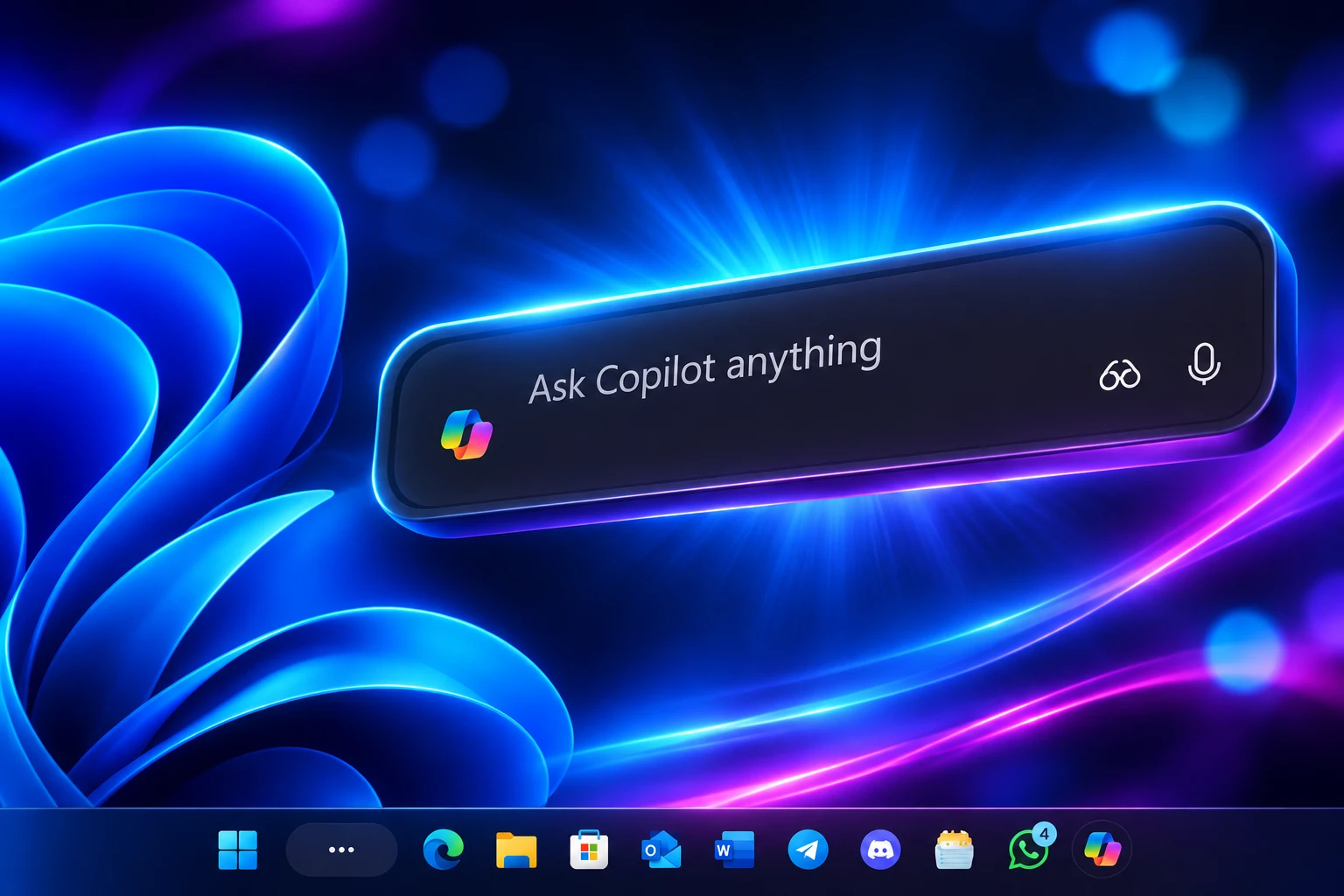
The box those answers will sit in is already with Windows Insiders. It is the Ask Copilot pane Microsoft paused in August, rebuilt as Search, with Copilot sold back as a toggle that still opens the full Copilot app.
Copilot Answers Come Back as a Search Toggle
On October 7, 2026, Pavan Davuluri, executive vice president of Windows and Devices, put the Copilot plan inside a Windows Experience Blog post that was mostly about agents, local models, and new PCs. Search was the everyday-tasks slice of that pitch. The Copilot sentence is short, and it is the whole policy.
We will also begin adding the option to integrate the new Copilot with Search on the taskbar, so you can get quick answers inline from Search, and if you want to have a richer conversation, you can jump from Search directly to the full Copilot app. This experience will be opt-in, and will first start rolling out to select markets later this year.
Pavan Davuluri, Executive Vice President, Windows + Devices, Windows Experience Blog, October 7, 2026
Two things turn on with that switch. Quick Copilot answers appear inline in the taskbar results. A longer question can jump from Search directly to the full Copilot app.
That second path is doing real work for Microsoft. Search is a finder, and it is also a door into the Copilot app the company unified for consumers and Microsoft 365 on September 25, 2026. People who enable the add-on are one tap from a longer chat. People who do not enable it still get the new Search box, the file and app hits, and the inline PC actions.
Microsoft has not said which select markets go first. It has not said where the switch lives in Settings. It has not said when other languages get the Copilot layer. The opt-in promise is the whole public brief.
What the Rebuilt Windows 11 Search Can Do
The new Windows 11 Search, already in the Experimental channel, finds apps, files, and settings in a single list, runs typed PC actions from the taskbar, and is built on WinUI 3 so Microsoft can drop the old preview pane. Copilot answers are not part of that first drop. They arrive later, on a separate switch, in markets Microsoft has not listed.
Anshul Rawat, corporate vice president on the Windows product team, wrote the Insider post the same day. Microsoft is folding the old list-plus-preview layout into one results list, because almost every click in the current design already lands on the left-hand list, not the big preview pane. The company says early tests show better speed and lower memory use from the moment the box opens. Typo and synonym matching ships in the first drop, with more tuning after October 7.
In July, Microsoft had already calmed the Search home screen, stripped promo content out of web hits, and given a switch for web and Microsoft Store suggestions. The October rebuild sits on top of that cleanup. The change people will feel is that Search now finishes a request instead of dumping you into Settings.
ACTIONS YOU CAN TYPE IN SEARCH
- Theme and radios: Try “switch to dark mode,” “turn on night light,” or “turn on Bluetooth.”
- Quick tweaks: Try “dim my screen” or “mute.”
- Window chores: Try “minimize all my windows” or “arrange windows on screen.”
- Phone, coming soon: Davuluri’s post uses “Text Elisa I’ll be there soon” as the Phone Link example.
Davuluri also wrote that the company is starting with thousands of new actions from the taskbar. None of those first actions is branded Copilot. Dark mode, mute, and window snapping run inside Search. Copilot answers are the extra layer, and they are the layer you can refuse.
Rawat’s post says a new Search built on WinUI 3 is the foundation. Later in 2026 the same pane is supposed to show inline file previews, richer file details, web answers, and filters. The web examples in the Insider post are plain: “weather in San Diego,” a stock price, and “How tall is the Eiffel Tower?” Store app suggestions can be switched off under Settings, Privacy & security, Search, the same place web results are controlled.
On October 30, 2026, Experimental build 26340.9843 widened that preview. File results can show last modified date, location, and author. Web answers for weather, stocks, and facts are in that build. You can right-click a result to rate it or pull it off the opening list.
WHAT SHIPS WHEN
| Window | What Microsoft has actually put on a calendar |
|---|---|
| With Insiders now | Single results list, typo and synonym matching, inline actions such as dark mode, night light, Bluetooth, brightness, mute, and window layout. Experimental channel after build 26340.9616 or 28120.3181, then more of the same in build 26340.9843. |
| Later in 2026 | Inline file previews and richer file details, web answers, filters, Phone Link tasks, and the opt-in Copilot answers in unnamed markets, with a jump into the Copilot app. |
| Next year | The new Search in the Start menu, plus the box adapting to other taskbar positions and Windows layouts. Start search keeps the old UI in the first previews. |
Insiders turn the new box on with a feature flag. After those builds, the path is Settings, Windows Update, Windows Insider Program, Feature flags, then “New Windows Search Experience.” Microsoft says you have to check for updates and restart before the flag even appears.
Ask Copilot’s Interface Without the Name
Yusuf Mehdi, then Microsoft’s consumer chief marketing officer, introduced Ask Copilot on October 16, 2025. The pitch was that Copilot would become “a natural part of how you use your PC, ready to help, guide and collaborate the moment you need it.” For Insiders, Ask Copilot could replace the taskbar Search box. It used existing Windows APIs for apps, files, and settings, and it added a chat box plus shortcuts into Copilot Voice and Vision.
That preview ran from late 2025. Microsoft’s own docs still pointed at a mid-2026 ship for business Copilot users. On August 14, 2026, a Copilot app changelog pulled it. Microsoft wrote that it was “temporarily disabling Ask Copilot on the taskbar to update the new experience and incorporate your feedback.” It did not say which feedback. For anyone who had the preview on, the regular Search box came back.
On September 25, 2026, Microsoft unveiled a unified Copilot app for consumer and Microsoft 365 use. The taskbar experiment stayed off. When the new Search appeared on October 7, people who had used Ask Copilot recognized the pane. Same single list. Same floating box. The Copilot chat is no longer welded to it.
Ask Copilot itself was a choice at the taskbar. You picked it to replace Search. Once that pane was on, Copilot sat inside it. The new Search splits those two decisions. The pane ships as Search. Copilot answers are a second switch, and that switch still ends in the Copilot app.
When Ask Copilot first hit the taskbar, the demand that kept coming back was not for a nicer toggle inside Search. It was for a way to take Copilot off the PC. Microsoft is answering a smaller question: whether Copilot answers appear inside this particular box. The box itself still arrives as the new Search.
HOW THE BOX GOT HERE
- October 16, 2025: Yusuf Mehdi announces Ask Copilot on the taskbar as an opt-in replacement for Search, with Copilot Voice and Vision one click away.
- March 20, 2026: Davuluri tells Insiders Microsoft will be more intentional about where Copilot shows up, and will cut extra Copilot entry points starting with Snipping Tool, Photos, Widgets, and Notepad.
- August 14, 2026: A Copilot app changelog temporarily disables Ask Copilot on the taskbar to update the experience and take feedback.
- September 25, 2026: Microsoft unveils a unified Copilot app. The taskbar preview stays off.
- October 7, 2026: New Windows Search begins rolling out to Experimental-channel Insiders. The same day’s hybrid-intelligence post promises opt-in Copilot answers in unnamed markets later in 2026.
- October 19, 2026: Microsoft 365 Message Center post MC1515940 says eight OneDrive Copilot actions will leave the File Explorer right-click menu, with Ask Copilot kept as the remaining command.
The spine of that timeline is simple. Microsoft spent a year trying to make the taskbar box into Copilot that also searched. The box now shipping is Search that can also call Copilot, if you turn that on, in a market Microsoft has not named.
Microsoft Has Not Named the Markets
The Copilot sentence is doing a lot of work for a company that will not fill in the blanks. “Select markets” is the whole geography. “Later this year,” in Davuluri’s October wording, is the whole clock. The setting’s home in Windows 11 is still unlisted.
WHAT WE KNOW
- The default: Copilot answers stay off in the new Search until a user turns them on.
- The two modes: Inline answers in the taskbar results, plus a jump into the full Copilot app for a longer chat.
- The Search preview: Experimental-channel Insiders can already use the new box after build 26340.9616 or 28120.3181, via the New Windows Search Experience flag.
- The Copilot clock: Microsoft says that add-on starts in unnamed markets later in 2026.
WHAT IS UNCONFIRMED
- Which markets: Microsoft has not published the first-wave list, or a follow-on order for everyone else.
- The toggle’s home: No Settings path, taskbar menu, or Search footer has been named for the Copilot switch.
- Languages: Microsoft has not said when the Copilot layer leaves English, or whether Search’s first public wave is English-only.
- A public Search date: Official posts describe the Insider preview and a next-year Start menu job. They do not pin a general-availability day for the new taskbar box.
That last gap matters because the new Search and the Copilot add-on are on different clocks. You can be in a market that gets the faster box and still wait on Copilot answers. You can also be in a market that is not on the first Copilot list at all. Microsoft has not described a way to keep the old Search box once the new one lands on a PC, so the pane is the part that is hard to refuse. The branded answers are the part that is easy to ignore, if they ever appear.
Eight Copilot Actions Leave File Explorer From Mid-November
The Search toggle is not the only Copilot trim on the calendar. On March 20, 2026, in a Windows Insider Blog post titled “Our commitment to Windows quality,” Davuluri wrote that people would see Microsoft “be more intentional about how and where Copilot integrates across Windows, focusing on experiences that are genuinely useful and well-crafted.” The first cuts, he said, were extra Copilot entry points in Snipping Tool, Photos, Widgets, and Notepad.
That promise is now showing up as fewer buttons, not fewer models. Copilot features stayed in those apps under other names. The pattern is the same one Search is about to use: keep the AI, hide the brand, and route the heavy chat into the Copilot app.
File Explorer is next. Microsoft 365 Message Center post MC1515940, published October 19, 2026 and updated October 20, says the company is retiring eight OneDrive Copilot actions from the File Explorer right-click menu. Retirement begins in mid-November 2026 and is expected to finish worldwide by early December 2026. Admins do not have to flip a switch. Microsoft asked them to warn users and update help-desk notes.
THE EIGHT COMMANDS LEAVING THE MENU
- Documents: Summarize, Create FAQ, Compare Files, and Ask a question.
- Images: Explain image, Explain images, Compare images, and Extract text.
Ask Copilot stays in that right-click menu. A Copilot icon still appears when you hover a file in File Explorer Home. The OneDrive activity center keeps the actions. Files open in Copilot attached by reference, so existing permissions still apply. The Copilot menu cut in File Explorer is a different feature from Copilot answers in taskbar Search, and it is the one with a dated worldwide window.
Read the two moves together and the funnel is obvious. Eight named shortcuts leave a crowded menu. One Ask Copilot command remains. Search, on a slower clock, grows an optional chat that jumps into the same Copilot app. Microsoft is not taking Copilot off Windows. It is collapsing the doors that lead there.
Start Menu Search Slips to Next Year
Rawat’s Insider post is blunt about the next gap. Work is already underway to bring the new Search to the Start menu and to make it follow other taskbar positions. In the first previews, Start search keeps the old UI while Microsoft tunes the taskbar box. That puts the place many people actually search, the Start menu, on a 2027 calendar.
So the Copilot headline is running ahead of the Search rollout. Experimental-channel PCs can already type “mute” and have the control appear in results. Most Windows 11 PCs still have the old box. The Copilot answers Microsoft described on October 7 still need a market list, a Settings home, and a language plan. Until those show up, the rebuilt Search is a faster finder with PC actions, and Copilot is a door you do not have to open.
Davuluri’s post still says the Copilot layer will first start rolling out to select markets later this year. Those markets are unnamed. The Search box is already in the Experimental channel. Start menu search is next year’s job.

One UI 9.5 Beta Puts the Galaxy S26 on Last Year’s Clock

DBS Puts a 24/7 USDC Window Inside the Bank

European Startups Head for $81 Billion as First Checks Shrink

US Stocks Lost $1.3 Trillion Before Nvidia’s Beat

Home Depot Bets on Finance Chief Richard McPhail as CEO

Aramco Crash Kills 14 Two Days After Oil Restart

Salah Captained Egypt to Their First World Cup Win

Zelda’s 40th Switch 2 Ships Without a Zelda Game

Apple Labor Day Deals Hide June’s Memory Price Hike

El Niño Puts Israel’s Needed Winter Rain on a Flood Clock
-
 BUSINESS5 months ago
Aramco Crash Kills 14 Two Days After Oil Restart
-
 NEWS6 months ago
Salah Captained Egypt to Their First World Cup Win
-
 GAMING2 months ago
Zelda’s 40th Switch 2 Ships Without a Zelda Game
-
 NEWS3 months ago
Apple Labor Day Deals Hide June’s Memory Price Hike
-
 NEWS4 months ago
El Niño Puts Israel’s Needed Winter Rain on a Flood Clock
-
 GAMING2 months ago
Palworld 1.0.4 Adds Palpedia Search After the 1.0 Launch
-

 NEWS4 months ago
Saudi Visa Routes Split Nigerian Travelers Into Two Speeds
-

 BUSINESS9 months ago
BAE’s 60-Year Saudi Franchise Now Runs Through Taif