
NEWS
Microsoft Restored Taskbar Position and Withheld the Drag
Microsoft put Windows 11 taskbar position in Settings, then its design VP called the missing drag a choice while saying nobody used the word never.

Diego Baca said on October 30, 2026 that Windows 11 will not restore taskbar drag-to-move. The Vice President of Design at Microsoft called the missing mouse gesture a deliberate choice, pointing to accidental moves and to how rarely people change the bar’s edge.
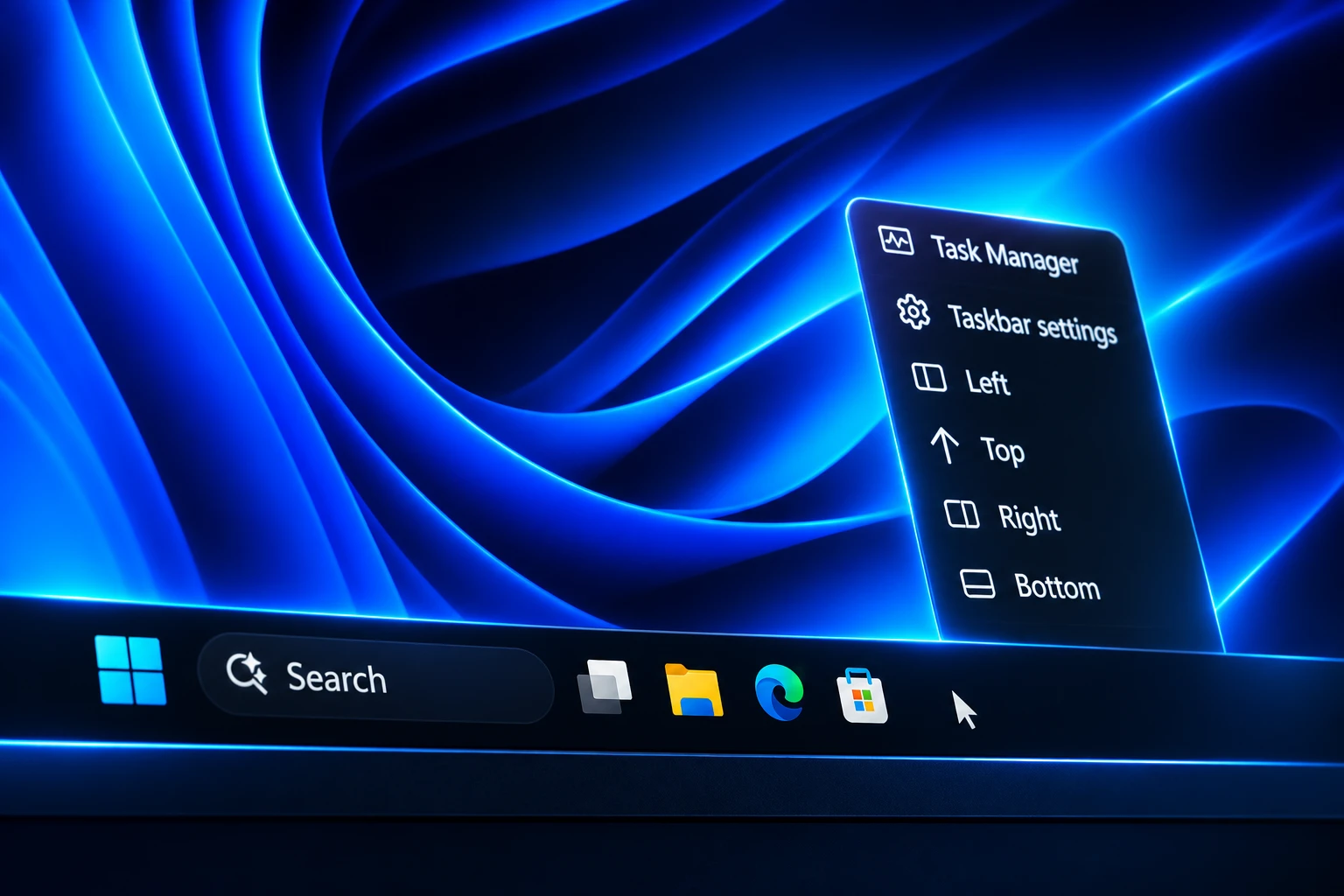
You can still place the bar on the bottom, top, left, or right in Settings. The old grab-and-fling motion from Windows 10 is not on that path, even after Microsoft spent this year putting position back on the page.
Microsoft Closed the Mouse-Drag Path
Baca was answering a post that said you still need a third-party app to drag the bar, and he objected to that wording before he got to the research. He said headlines that frame the helper as a requirement come across as a shortcoming, and he asked writers to say you can also use one.
From our research, dragging the taskbar to reposition it can lead to accidental movements, which is one of the reasons “Lock the taskbar” existed in previous versions of Windows. We also found that changing the taskbar position isn’t something people do frequently. We felt that providing a discoverable setting, just one right-click away, was a more intentional and predictable experience. It’s a deliberate design decision, not a missing capability.
Diego Baca, Vice President of Design, Microsoft, on X
I find headlines like these unnecessarily negative. Instead of saying “you still need” a third-party app, why not say “you can also use” one? It communicates the same information without framing everything as a shortcoming.
From our research, dragging the taskbar to reposition…
— Diego Baca (@bacadd) October 30, 2026
Brandon LeBlanc, Director of Communications for Windows and Devices, replied “Agreed.” Some people who lived with Windows 10 still remember the bar jumping to the side after a sloppy click, and that memory is what Microsoft is designing around. The older system already shipped a lock for that accident. Windows 11’s answer is to keep the gesture off the bar so the lock has nothing left to do.
The May Blog Still Mentioned Drag
The October note lands harder because Baca wrote the May preview himself. On May 15, 2026 he told Windows Insiders that moving the taskbar to the top or sides had been one of the most requested features, and that Experimental-channel PCs would get Bottom, Top, Left, and Right in Settings, with Start and other flyouts opening from the new edge.
That same post said the company was still evaluating drag and drop, along with a different position on each monitor. The stated aim was core function that stayed simple, predictable, and free from accidental movement. Five months later, the evaluation reads as a decision: the destination shipped, the motion did not.
Microsoft had already listed repositioning as one of the top asks on March 20, 2026, in a quality note from Pavan Davuluri. The May work was the first public cut of that promise, and it named the people it was for: developers who want vertical code space, anyone who reaches the top of the screen more easily, and anyone who keeps Never Combine plus labels so each window stays its own button on a side bar.
THE TASKBAR POSITION CALENDAR
- March 20, 2026: Microsoft’s quality note lists vertical and top taskbar positions among the first changes Insiders will see.
- May 15, 2026: Baca’s Insider post starts the Experimental rollout and keeps drag and per-monitor layouts under evaluation.
- August 27, 2026: Preview update KB5120998 starts a gradual rollout of Taskbar position to Windows 11 24H2 and 25H2.
- October 30, 2026: Baca calls the missing drag a deliberate design decision after a third-party app restores it.
- November 1, 2026: He writes that no one said never and that nothing is beyond reconsideration.
Windows 11 launched in 2021 with the bar fixed to the bottom. The Settings list is the first in-box way back to the other three edges, five years later, and it is a list on purpose.
Four Edges Landed in the August Preview
The shipping control is not a hidden flag. The August 27 preview update notes for KB5120998, OS Builds 26100.9278 and 26200.9278, say you can choose whether the taskbar appears at the bottom, top, left, or right. Tooltips, flyouts, and animations still come from the bar in those other places, and most options such as never combining icons work in every location.
The same package adds a smaller taskbar that shrinks icons and height, and it expands the Taskbar behaviors section by default so the new controls are harder to miss. The rollout is gradual, so a PC that already installed the preview may still wait on the switch. On 26H2, the native control is tied to build 26300 and newer in the tools that now sit on top of it.
Baca’s May writeup also spelled out alignment per edge: top-aligned or centered when the bar is on the left or right, and left-aligned or centered when it is on the top or bottom. That is the part of the restore that is actually new, not a copy of Windows 10. The older system let you drag first and tidy later. This one asks you to pick an edge and an alignment as two settings.
Side Placement Costs the Search Box
The August notes are blunt about what does not travel with a vertical bar. The Search box and the smaller taskbar are currently supported only for the top and bottom. Put the bar on the left or the right and you give those two controls up. Auto-hide and the tablet-optimized bar were already called out in May as not ready on alternate edges, with touch gestures still in progress.
WHAT EACH EDGE KEEPS
| Position | Search box | Smaller taskbar |
|---|---|---|
| Bottom | Supported | Supported |
| Top | Supported | Supported |
| Left | Not supported | Not supported |
| Right | Not supported | Not supported |
Dragging the top of the bar to make it thicker, a Windows 10 habit, is still out. The Small size in Settings is a second, separate control with two named states, not a free resize. People who wanted a fatter bar for touch, or a second row of icons, are not served by either the position list or the Small toggle.
How to Move the Windows 11 Taskbar
If the control has reached the PC, the path is short, and Baca is right that it starts on the bar. Right-click an empty stretch, open Taskbar settings, and pick an edge. There is no Apply button and no restart. The bar jumps as soon as you choose.
THE SETTINGS PATH
- Open Taskbar settings: Right-click an empty area of the bar and choose Taskbar settings, or go to Settings, Personalization, Taskbar.
- Find Taskbar behaviors: The section is expanded by default after KB5120998; open it if it is collapsed.
- Set Taskbar position: Choose Bottom, Top, Left, or Right. The bar moves at once.
- Optional size: Under Taskbar size, choose Small if you want shorter icons and a shorter bar on the top or bottom.
If Taskbar position is missing, install pending updates, including optional previews, then check the build. 24H2 and 25H2 need the August preview or a later cumulative that carries those builds. 26H2 needs build 26300 or newer. Because the feature rides a gradual rollout, a fully patched PC can still hide the list for a while.
A Free App Puts the Gesture Back
The post Baca answered was about Taskbar Location Options, a free helper from Michal Leptuch. The GitHub readme says you can pick Left, Top, Right, or Bottom from the bar’s right-click menu, or drag it with the mouse. It needs Windows 11 26H2, build 26300 or newer, on x64 or ARM64.
The project is explicit about what it is not. It does not flip a hidden Windows flag. Dragging is not a built-in mechanism the app merely unlocks. Clicks write the standard taskbar location value, and the drag is supplied by the program. Setup currently means trusting a self-signed certificate, unblocking a PowerShell script, then running an.appinstaller. The readme warns that a future Explorer change can break the hook.
On October 31, 2026, Baca came back to that app in a second post and said he was 100% supportive of third-party software that extends Windows and gives people more choice. He also said a setting one right-click away is hardly buried, and that it sits exactly where it should. Windhawk’s Taskbar Drag and Lock mod aims at the same gap on build 26300 and newer, using the TaskbarLocation value under HKCU\Software\Microsoft\Windows\CurrentVersion\Explorer\Advanced so a drag is equivalent to the Settings list and survives if the mod is later turned off. StartAllBack and similar paid shells still sit in that layer for people who want the wider classic bar, not only the missing gesture.
That is the split Microsoft has accepted in public: the in-box bar is a configured object, and anyone who wants it to behave like a physical strip can load extra code. Baca wants that extra code described as a bonus, not as proof of a hole.
Two Days Later, He Rejected Never
On November 1, 2026, Baca posted again after coverage treated the October note as a permanent ban. “First, let’s get the facts straight. No one said ‘never,’” he wrote. He said the company keeps weighing telemetry, Feedback Hub, and social channels against other priorities, and that nothing is beyond reconsideration. He also asked writers to stop pairing Windows 10 footage with old Windows 11 Settings shots.
First, let’s get the facts straight. No one said “never.” I explained that this was a deliberate design decision based on what we learned from Windows 10, where we saw a significant volume of accidental taskbar movements.
We continuously evaluate feedback from telemetry,…
— Diego Baca (@bacadd) November 1, 2026
The same post shut down the obvious compromise. An auto-lock, or a lock you flip before you drag, is not a magic fix in his account, because it adds a step to a task people rarely do, and because a lock can interfere with more common work such as rearranging icons or moving items in the system tray. He said Windows is used by over a billion people in countless ways, and that every choice has tradeoffs that are easy to miss from outside.
WHERE THE ARGUMENT SPLITS
- Microsoft’s line: Accidental drags showed up in research, people seldom change the edge, and a setting one right-click away is the more predictable control.
- The lock-toggle line: Windows 10 already treated the accident as a lock problem, with the lock on by default, and kept the gesture for the times you actually wanted it.
- The layout-hopper line: Anyone who moves a laptop between a wide monitor and a tall coding screen is outside the “set it once” pattern, so they keep a helper loaded.
The bar can sit on any of four edges through Settings when the control has reached the PC. The mouse still cannot take it there unless another program does the lifting. Baca says that gap can be looked at again. He has not put a date on it.

One UI 9.5 Beta Puts the Galaxy S26 on Last Year’s Clock

DBS Puts a 24/7 USDC Window Inside the Bank

European Startups Head for $81 Billion as First Checks Shrink

US Stocks Lost $1.3 Trillion Before Nvidia’s Beat

Home Depot Bets on Finance Chief Richard McPhail as CEO

Aramco Crash Kills 14 Two Days After Oil Restart

Salah Captained Egypt to Their First World Cup Win

Zelda’s 40th Switch 2 Ships Without a Zelda Game

Apple Labor Day Deals Hide June’s Memory Price Hike

El Niño Puts Israel’s Needed Winter Rain on a Flood Clock
-
 BUSINESS5 months ago
Aramco Crash Kills 14 Two Days After Oil Restart
-
 NEWS6 months ago
Salah Captained Egypt to Their First World Cup Win
-
 GAMING2 months ago
Zelda’s 40th Switch 2 Ships Without a Zelda Game
-
 NEWS3 months ago
Apple Labor Day Deals Hide June’s Memory Price Hike
-
 NEWS4 months ago
El Niño Puts Israel’s Needed Winter Rain on a Flood Clock
-

 GAMING2 months ago
Palworld 1.0.4 Adds Palpedia Search After the 1.0 Launch
-

 NEWS4 months ago
Saudi Visa Routes Split Nigerian Travelers Into Two Speeds
-

 BUSINESS9 months ago
BAE’s 60-Year Saudi Franchise Now Runs Through Taif