
NEWS
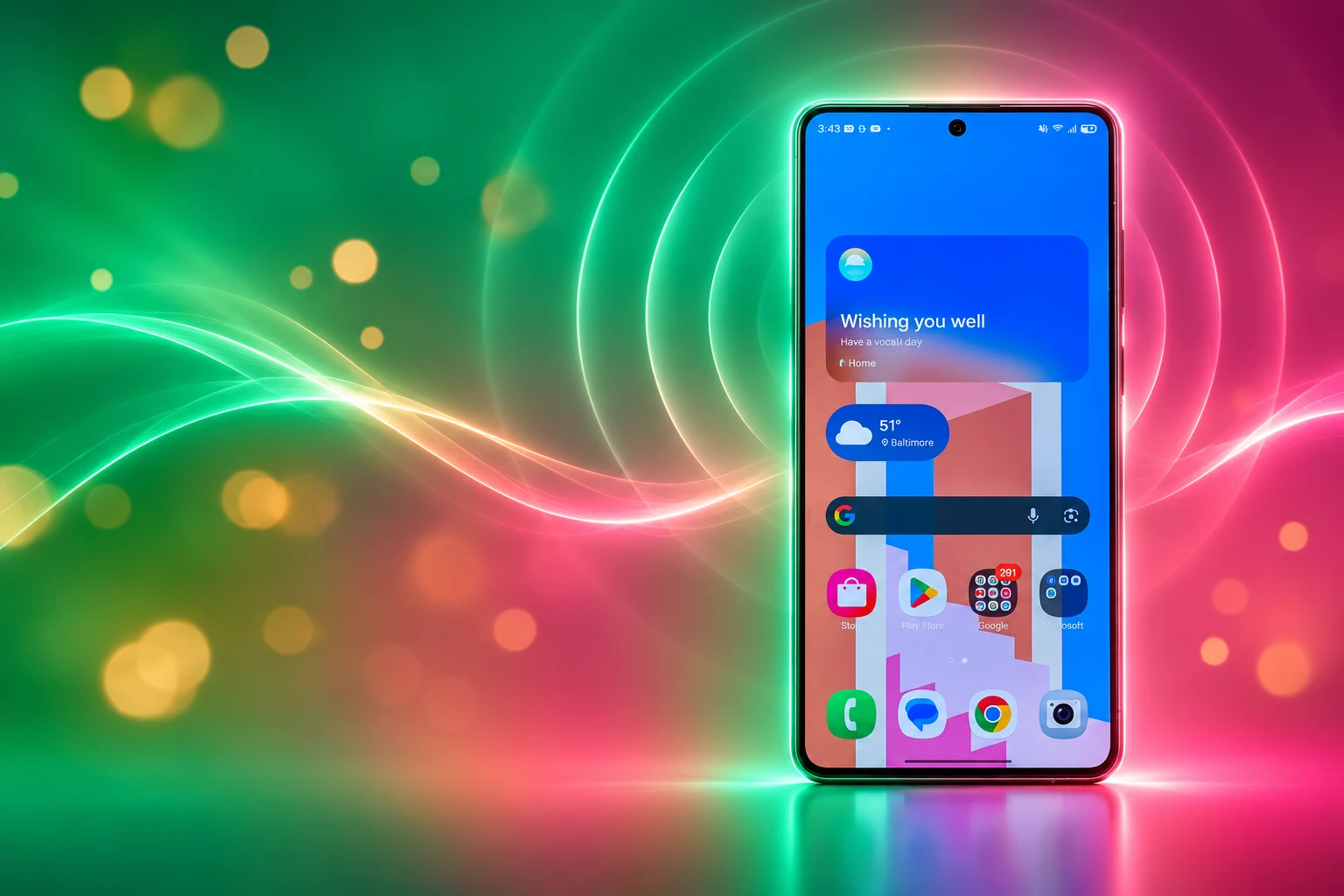
One UI 9.5 Puts Your Voice on Direct Voicemail
One UI 9.5 code adds a Direct Voicemail recorder so Galaxy callers hear you, not a system voice, finishing an on-device mailbox carriers already lost.

A One UI 9.5 test build adds a Greeting menu to Direct Voicemail, with record, play, pause, and save controls for a custom outgoing message. Callers still hear a system voice on Galaxy phones that already keep the mailbox on the device.
The same unfinished software also lets people type a line for Call Screening to read aloud. Samsung is filling in what a missed caller hears, not just adding a microphone button.
The Mailbox Moved Onto the Phone
Direct Voicemail arrived in One UI 8.5, first showing up in the fourth Galaxy S25 beta on February 9, 2026. It answers a missed call on the phone instead of sending the caller to the network’s voicemail server, then stores the audio in the Phone app.
You can dump a ringing call there from More options, or set the phone to pick up on its own. Samsung’s presets are 5, 10, or 20 seconds, and a carrier help page for Videotron customers lists a delay range of 1 to 20 seconds. While the caller talks, Galaxy AI can show a live transcript, summarise the text, and run Audio Eraser on noisy audio. You can still pick up mid-message.
SaskTel’s support note describes that real-time transcription while the caller is leaving a message, with the file staying on the device. The feature is off until you turn it on. It does not run on video calls, and it will not record if storage is almost full. If you answer a second call, the first Direct Voicemail session ends and that caller is not put on hold.
The gap has always been the outgoing clip. The phone can transcribe a stranger in real time, then greet them with a canned system voice. That is the piece the 9.5 code is trying to replace.
A Greeting Section Shows Up in the Code
Strings in a One UI 9.5 build, posted on November 16, 2026, name a new Greeting screen. The resource IDs call the feature on-device voicemail, which matches how the tool already works. The copy offers Default, a standard greeting read with the system voice, or Custom, which records your own voice for callers.
The recorder is not a one-tap gag. The same file lists the usual studio controls, a save toast, a too-short warning, and a reset path that wipes whatever is stored.
THE GREETING CONTROLS IN THE CODE
- Record and stop: Buttons labelled Record greeting and Stop recording greeting.
- Play and pause: Playback controls so you can hear the clip before you keep it.
- Save toast: A confirmation that reads “Custom greeting saved.”
- Length check: A timer in minutes and seconds, plus “Can’t save recording. Recording too short.”
- Reset: A dialog titled “Reset greeting?” that says the current greeting will be erased so you can record a new one.
That reset wording is the tell. It talks about erasing the current greeting, which reads like a single slot, not a folder of clips. Pixel’s Take a Message tool already stores several recordings and lets you star one as the default, so a one-at-a-time Galaxy recorder would still feel thinner even if it ships.
Galaxy owners have been asking for this since Direct Voicemail went live. A Samsung Members thread in June 2026 asked the company to record our own greeting in our voice, and also wanted the canned line in languages other than English. Other community posts asked for Hindi. The 9.5 strings answer the microphone request. They say nothing about extra languages for the default voice.
Pixel Users Have Recorded Greetings Since June
Google’s Take a Message feature had the same hole at launch. Callers heard a stock line, “The person you have called is not available, please leave a message after the tone,” until a Phone app update added a recorder. Custom clips reached the stable app in June 2026, about five months before Samsung’s strings showed up.
On Pixel 6 and newer phones, you open Settings, Take a Message, Manage greetings, wait through a three-second countdown, and talk for up to 60 seconds. You can pause, restart, save more than one clip, rename them, and pick a default. Google’s help text says Take a Message runs on the device without Wi-Fi or mobile data, and that a custom greeting plays for all callers. Carrier voicemail still takes over when the Pixel is off or out of network, the same fallback Samsung uses.
Apple split the job years ago. iPhone owners choose a greeting, Default or Custom, in the Phone app, and that recording still lives with the carrier’s voicemail. Live Voicemail, added in iOS 17, is the transcript layer. It shows the caller’s words as they speak and lets you pick up. It does not replace the greeting. If the iPhone is off or out of range, the call goes to carrier voicemail when that service exists.
THREE ON-DEVICE VOICEMAIL STACKS
| Feature | Galaxy Direct Voicemail | Pixel Take a Message | iPhone Live Voicemail |
|---|---|---|---|
| Where the message is stored | On the phone | On the device | On the iPhone |
| Outgoing greeting now | Samsung system voice | Standard line or your recording | Default or custom in Phone |
| Custom greeting controls | Recorder in One UI 9.5 code, reset wipes the current clip | Several clips, 60-second cap, star a default | Record Custom in Voicemail greeting settings |
| If the phone is off or has no signal | Carrier voicemail | Carrier voicemail | Carrier voicemail |
Samsung is walking the Pixel path: ship the on-device box first, then bolt on a human voice. iPhone users never lost the custom greeting because it never left the carrier. The Galaxy and Pixel work is about moving both the inbox and the hello onto the handset.
FROM A SYSTEM VOICE TO A RECORD BUTTON
- December 8, 2025: Samsung opens the One UI 8.5 public beta.
- February 9, 2026: Direct Voicemail appears in the fourth Galaxy S25 beta, with live transcripts and no custom outgoing clip.
- April 2026: Pixel Phone beta adds a Take a Message recorder with a 60-second cap.
- June 2026: That Pixel recorder reaches the stable Phone app, and Galaxy owners ask Samsung Members for the same thing.
- November 16, 2026: One UI 9.5 strings add Direct Voicemail Greeting controls and, in the same round of builds, a typed Call Screening greeting.
Nine months separate Direct Voicemail’s debut from the greeting strings. Pixel needed from late 2025 until June 2026 to put a voice on Take a Message. The pattern is the same even if the calendars do not line up.
Call Screening Still Reads a Typed Line
The voicemail recorder is only half of the November 16 dump. Other strings in the same One UI 9.5 work describe a greeting editor for Call Screening, whose default text is “How can I help you?” You type the line you want the screener to speak when it picks up.
That path is not a local audio file. Error copy in the build blocks “sensitive” words, asks for a network connection, and can fail a review with “Couldn’t save greeting. Try again later.” Screens from the build put the setting under Galaxy AI, Call assist, Call screening, Greetings. Early notes also say the typed greeting may be limited by market and turned off while roaming.
So Samsung is solving “sound like me” twice, with two different tools. Direct Voicemail wants a recording stored on the phone. Call Screening wants text that an assistant reads, after a server-side check. One is your throat. The other is your wording, spoken by the same kind of system voice people already dislike on voicemail. Treating those as one personalization story flattens the leak. They are two products that happen to share a week of code.
Carrier Inboxes Go Quiet on Direct Voicemail
The reason a custom clip matters is that Direct Voicemail already replaces the carrier mailbox when it is on. Videotron’s help page is blunt about the handoff for customers in Canada, and it already has a FAQ entry on the greeting you still cannot change.
When Direct Voicemail is enabled, Videotron Voicemail no longer handles messages.
Videotron, Direct Voicemail support page
The same page says Videotron Voicemail no longer handles messages unless the phone is out of service or you are outside Canada. Turn Direct Voicemail off if you want the network box back. Incoming Direct Voicemail audio can last up to 2 minutes. Videotron also lists the first models as Galaxy S26, S26+, and S26 Ultra, with other One UI 8.5 phones following as their updates land. The feature does not work while travelling in the United States or other countries on that network.
SaskTel tells customers the same split: the message does not land in the carrier mailbox while Direct Voicemail is handling the call, and the network box still takes over if the phone is off, has no signal, or is already on a call. That is why a human outgoing clip is the last bit of personality the carrier still owned. Once your own voice plays from the handset, the remaining reason to keep the network greeting is coverage, not tone.
Carriers are not being shut out. They still own the call when the Galaxy is dark, roaming, or unreachable, which is exactly when a lot of real voicemail happens. The 9.5 recorder, if it ships, makes the everyday case sound like you and leaves the edge cases on the old system.
What the Strings Still Leave Open
The unfinished software does not say how short is too short, whether more than one greeting can be stored, or whether the recorder will ship in every market. The teardown itself warns that the code is in progress and that these features may not ship. A string dump is a plan, not a changelog.
WHAT WE KNOW
- The menu: A Greeting screen with Default and Custom is in a One UI 9.5 build.
- The controls: Record, stop, play, pause, save, a duration readout, and a too-short block are all named.
- The reset: Saving a new clip is written as erasing the current greeting.
- The twin setting: Call Screening in the same round of software lets you type an opening line, with network and content checks.
WHAT IS UNCONFIRMED
- Shipping: Nothing here is in a public beta, and the strings can still be pulled.
- Multiple clips: Pixel stores a library; Samsung’s reset copy reads like one greeting at a time.
- Minimum length: The too-short toast exists, but the cutoff in seconds is not in the copy.
- Markets: Direct Voicemail already varies by carrier and country, and Call Screening’s typed line has extra roaming limits in early notes.
The missing numbers matter because they decide whether this is Pixel parity or a lighter copy. A 60-second Galaxy greeting with several saved takes would match Take a Message. A single short clip that you have to wipe to replace would still beat a robot voice, and it would still feel like a first draft.
Galaxy S26 Beta Builds Sit on Servers
One UI 9.5 has not opened as a public beta. Test firmware for the Galaxy S26 Ultra was still landing on Samsung’s servers through November 16, 2026, which is the same day the greeting strings were posted. The stable drop is widely tied to the Galaxy S27 series in early 2027, with S26 owners expected to see a beta first if Samsung follows its usual order.
Until that program starts, Direct Voicemail keeps greeting people with the system voice, carriers keep the fallback when the phone is off, and Pixel owners keep a recorder they have had since June. The code says Samsung knows that mix is unfinished. The build does not yet say when callers will hear you instead.

One UI 9.5 Beta Puts the Galaxy S26 on Last Year’s Clock

DBS Puts a 24/7 USDC Window Inside the Bank

European Startups Head for $81 Billion as First Checks Shrink

US Stocks Lost $1.3 Trillion Before Nvidia’s Beat

Home Depot Bets on Finance Chief Richard McPhail as CEO

Aramco Crash Kills 14 Two Days After Oil Restart

Salah Captained Egypt to Their First World Cup Win

Zelda’s 40th Switch 2 Ships Without a Zelda Game

Apple Labor Day Deals Hide June’s Memory Price Hike

El Niño Puts Israel’s Needed Winter Rain on a Flood Clock
-
 BUSINESS5 months ago
Aramco Crash Kills 14 Two Days After Oil Restart
-
 NEWS6 months ago
Salah Captained Egypt to Their First World Cup Win
-
 GAMING2 months ago
Zelda’s 40th Switch 2 Ships Without a Zelda Game
-
 NEWS3 months ago
Apple Labor Day Deals Hide June’s Memory Price Hike
-
 NEWS4 months ago
El Niño Puts Israel’s Needed Winter Rain on a Flood Clock
-
 GAMING2 months ago
Palworld 1.0.4 Adds Palpedia Search After the 1.0 Launch
-

 NEWS4 months ago
Saudi Visa Routes Split Nigerian Travelers Into Two Speeds
-

 BUSINESS9 months ago
BAE’s 60-Year Saudi Franchise Now Runs Through Taif