
NEWS
Edge 156 Broke New Outlook Attachments Until a Kill Switch
An Edge 156 WebView2 setting stopped New Outlook from opening attachments, and Microsoft shut it with a service-side kill switch rather than a new build.

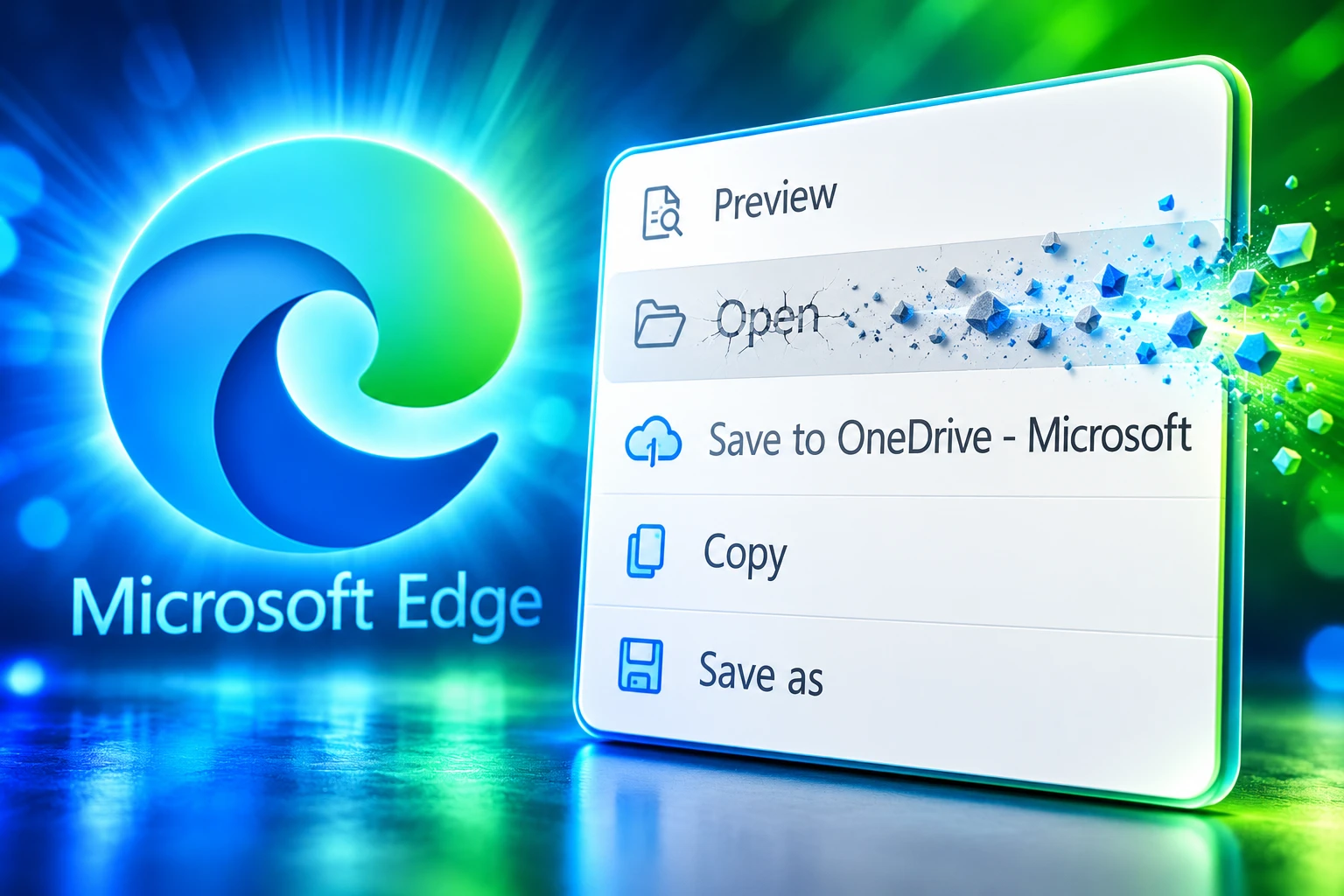
Microsoft has disabled a setting that an Edge 156 update turned on, after that setting stopped some New Outlook users from opening email attachments. The Open option disappeared in the new desktop client, and the company tracked the incident as Exchange Online advisory EX1528992.
The mail client still opened a preview. It could not hand the same file to Word, Excel, PowerPoint, or Adobe on the PC, because that handoff now runs through the Edge WebView2 Runtime.
The Open Button Vanished After Edge 156
Users first described the break on October 27, a day before Microsoft opened the advisory. Independent advisor Hin Vo, posting on Microsoft Q&A, tied the failures to WebView2 Runtime 156.x and said version 155.0.4283.62 did not show the same behavior. Classic Outlook on the same mailbox still opened every file type those users tried.
Microsoft’s own write-up matches the desk tickets. Impacted people may see an error that the file cannot be opened and that they should restart Outlook. After that error, the Open option is no longer on the attachment menu. The company said users can choose Save as, download the file, and open it outside the mail client.
WHAT BROKE IN THE MENU
- The Open command: It vanished after the error, or never appeared for some PDFs and text files.
- Desktop app launch: Word, Excel, PowerPoint, and Acrobat were asked to open the file and then did nothing.
- The fake restart: Outlook told people to restart, then left Open missing after they did.
- What still rendered: Attachment preview inside New Outlook continued to work on the reports that separated preview from launch.
The advisory limited scope to new Outlook desktop users who had moved to Edge version 156. It did not say every 156 PC was broken, and at least one admin on the same 156.0.4314.50 build could still open files while a colleague could not.
Why New Outlook Inherits Edge Runtime Changes
New Outlook for Windows is not a self-contained mail engine in the way Classic is. It hosts web content through WebView2, Microsoft’s embeddable Edge engine, under the process name olk.exe. When that runtime changes, the mail window changes with it, including the code that is supposed to hand a downloaded attachment to a desktop app.
Microsoft ships two ways to get that engine onto a PC. Most machines use the shared Evergreen copy, which tracks the Edge Stable line and is updated on its own schedule. The other path is Fixed Version, a specific runtime folder that an app or an admin pins and updates by hand.
EVERGREEN WEBVIEW2
- The default: Microsoft tells developers the Evergreen Runtime updates automatically on clients and is the model it wants for most apps.
- The trade: Security patches arrive without a new Outlook installer, and so can a bad setting.
- The pin: Fixed Version is documented for apps that cannot accept a surprise engine change.
That is why an Edge-line update can break a core mail action without a new Outlook build. Preview can still paint HTML inside the WebView. The hop into excel.exe or winword.exe is a different call, and that is the call that died.
Two 156 Builds Failed an A/B Test
Stable notes list Edge 156.0.4314.42 on October 22 as the main 156 release, then 156.0.4314.50 on October 26. The last 155 minor, 155.0.4283.62, is dated October 16. Reporters on GitHub and Q&A put the attachment failure on the two 156 builds and the working path on 155.0.4283.62.
WEBVIEW2 BUILDS IN THE A/B TEST
| WebView2 build | Line | Attachment opening |
|---|---|---|
| 156.0.4314.42 | Evergreen 156 | Failed |
| 156.0.4314.50 | Evergreen 156 | Failed |
| 155.0.4283.62 | Fixed Version | Opened the same files |
The cleanest test left the Evergreen 156 runtime installed. Testers downloaded Microsoft’s Fixed Version package for 155.0.4283.62, pointed New Outlook at that folder with the BrowserExecutableFolder policy for olk.exe, and restarted. About Outlook then showed WebView2 155.0.4283.62, and the same attachment that had failed under 156 opened. Putting the client back on 156 brought the failure back. New Outlook itself stayed on 1.2026.1013.100 through that swap.
Microsoft engineer Ojasvi Das first wrote that a lab pass with WebView2 156.0.4314.50 and New Outlook 1.2026.1022.100 opened images and Excel files on his side. That gap is useful. It shows the break was not a total 156 crash, and it shows why a helpdesk that only records the Outlook build will miss the engine that actually moved.
Microsoft Disabled the Setting From the Service Side
Microsoft confirmed the incident on the afternoon of October 28, six days after 156.0.4314.42 hit Stable. The root-cause line in EX1528992 is short: a recent update to Edge Version 156 unintentionally enabled an unnecessary configuration change. The company has not named that configuration in public.
Early on October 29 it said it had deployed a targeted fix to disable the setting, and that the change “may take up to 12 hours to propagate across our service infrastructure.” Users would still need to close and reopen New Outlook after the change arrived. A later service-health note said deployment of that targeted fix was complete and that a subset of affected users had confirmed the Open path was back.
FROM EDGE 156 TO THE KILL SWITCH
- October 22, 2026: Edge 156.0.4314.42 ships on the Stable channel.
- October 27, 2026: Testers file the WebView2 A/B report and Q&A threads fill with desktop-app launch failures.
- October 28, 2026: Microsoft opens EX1528992 and, by evening, is chasing a service-side hypothesis.
- October 29, 2026: The setting is turned off from Microsoft’s servers; users still have to fully quit New Outlook for Open to return.
Das posted the same day on the GitHub thread, after the lab miss. He said the team had the cause and a fix in current Stable, and that a relaunch should clear it in the next 6 to 7 hours. Asked whether the patch rode Edge Updater, Office, or Windows, he split the two mechanisms.
A runtime update is done through the Edge Updater. This one was a kill switch on the same runtime which is deployed differently.
Ojasvi Das, Microsoft engineer, WebView2 issue 5782
That kill switch on the same runtime is the recovery model. There was no new Outlook installer to wait for, and the October 29 Edge 156.0.4314.56 notes only list various bug and performance fixes. Mail got better because a remote switch turned a setting off, then olk.exe was restarted so it would read the new state.
Microsoft also said it is reviewing Edge version update testing and validation so a similar attachment failure is caught before deployment. It has still not published the flag name, which leaves admins without a policy they can set themselves if the next runtime ships another surprise.
How to Open Attachments Until the Restart Lands
If Open is still missing, the file is not gone. Microsoft’s workaround is the old download path, and it is also the path Classic users never lost. Microsoft’s help for how to open, save, and edit attachments already treats download as a normal option, which is what kept working while the in-app Open command did not.
THE SAVE AS WORKAROUND
- Select the file: Open the message in New Outlook and click the attachment.
- Choose Save As: Store it in a local folder instead of Open.
- Open from the folder: Launch Word, Excel, or the PDF app from File Explorer.
- After the fix: Fully close New Outlook and start it again so Open can return.
Outlook on the web was reported as still able to open the same files, including Edit in desktop app, which is another way around a stuck olk.exe window. Classic Outlook was never in the advisory’s impact list. For a mailbox that must keep moving, those two clients were the clean bypass, with no registry pin required.
A saved copy stays on the disk until someone deletes it. Treat unexpected attachments as untrusted even after they sit in Downloads; saving a file does not make it safe. If the Open button is still missing after a normal window close, quit every olk.exe process from Task Manager, then start New Outlook once.
Evergreen Updates Reach Mail Before Admins Do
The second cost sits after the kill switch. New Outlook now takes engine changes on the Edge/WebView2 cadence, about every two weeks, without a mail-client release that an admin can stage, ring, or hold. Security fixes ride that same pipe, which is why Microsoft tells shops not to freeze old runtimes. The attachment outage is what that pipe looks like when a setting is wrong.
Some administrators answered the outage by pinning olk.exe to the 155.0.4283.62 Fixed Version folder. That restored Open on the machines where they did it. It also parked those PCs off the current Evergreen security stream, and it is a per-app overlay on a runtime that Teams, widgets, and other WebView2 hosts still share in Evergreen form. Microsoft’s own enterprise guidance still prefers Evergreen unless a business-critical rule requires a fixed engine.
The named setting remains unpublished, so there is no Group Policy an admin can flip to match Microsoft’s kill switch. The durable control is still the boring one: watch EX1528992 in the Microsoft 365 admin center, keep Classic available for the people who cannot wait, and treat a WebView2 jump as a mail-client change even when Outlook’s own version number has not moved. Anyone who still has no Open command needs a full quit of New Outlook, because the server-side disable only applies after olk.exe starts again.
Frequently Asked Questions
How Do I See the WebView2 Version New Outlook Is Using?
Open New Outlook, go to Settings, then General, then About Outlook; the WebView2 Version line is listed with the Outlook and client builds. That is the number to match against 156.0.4314.42, 156.0.4314.50, and 155.0.4283.62, and it can disagree with the Edge browser version shown at edge://settings/help if a Fixed Version folder is in use.
Is the WebView2 Runtime the Same Program as Microsoft Edge?
No. WebView2 is a runtime that apps embed, and after install it has no desktop shortcut and no Start menu entry of its own. Edge is the user-facing browser; the runtime can be a shared Evergreen copy that tracks Edge Stable, or a Fixed Version folder used only by the app that pointed at it.
Do Edits on a Saved Attachment Write Back to the Email?
No. Save As makes a separate file on disk, and changes in Word or Excel stay in that copy unless you attach it again or upload it to the original cloud location. Delete local copies of sensitive files when you are done, because they remain until someone removes them.
Should New Outlook Stay Pinned to WebView2 155 After Open Returns?
Not as a standing setup. Microsoft recommends Evergreen so the engine keeps receiving security fixes, and it reserves Fixed Version for apps with a strict compatibility rule. A pin to 155.0.4283.62 was a local bypass during the 156 break; leaving it in place means olk.exe will miss later runtime patches that Edge Updater would otherwise apply.

One UI 9.5 Beta Puts the Galaxy S26 on Last Year’s Clock

DBS Puts a 24/7 USDC Window Inside the Bank

European Startups Head for $81 Billion as First Checks Shrink

US Stocks Lost $1.3 Trillion Before Nvidia’s Beat

Home Depot Bets on Finance Chief Richard McPhail as CEO

Aramco Crash Kills 14 Two Days After Oil Restart

Salah Captained Egypt to Their First World Cup Win

Zelda’s 40th Switch 2 Ships Without a Zelda Game

Apple Labor Day Deals Hide June’s Memory Price Hike

El Niño Puts Israel’s Needed Winter Rain on a Flood Clock
-
 BUSINESS5 months ago
Aramco Crash Kills 14 Two Days After Oil Restart
-
 NEWS6 months ago
Salah Captained Egypt to Their First World Cup Win
-
 GAMING2 months ago
Zelda’s 40th Switch 2 Ships Without a Zelda Game
-
 NEWS3 months ago
Apple Labor Day Deals Hide June’s Memory Price Hike
-
 NEWS4 months ago
El Niño Puts Israel’s Needed Winter Rain on a Flood Clock
-

 GAMING2 months ago
Palworld 1.0.4 Adds Palpedia Search After the 1.0 Launch
-

 NEWS4 months ago
Saudi Visa Routes Split Nigerian Travelers Into Two Speeds
-

 BUSINESS9 months ago
BAE’s 60-Year Saudi Franchise Now Runs Through Taif