
NEWS
Astropad Slate Keeps the $19.99 Screenless Mac Tablet
Astropad Slate still sells for $19.99 and turns an iPad into a blank Mac pen tablet, a small hover-era bet that never left Apple’s Mac and iPad pair.

Astropad Slate remains a $19.99 App Store app that turns an iPad and Apple Pencil into a screenless tablet for Mac. The US listing carries a 4.1 rating from 57 reviews. Astropad opened a public beta on October 12, 2023, then shipped version 1.0 on February 15, 2024, after what the company called 4 months of testing with over 8,000 beta users.
The wager was narrow on purpose. Slate keeps the iPad blank, maps the Pencil onto the Mac, and asks for a $19.99 one-time purchase with no subscription. It never added Windows, a free trial, or the shortcut deck that Studio already sells.
The Hover Bet Shipped as a $19.99 App
Astropad has said the idea arrived in 2022, when Apple showed new iPads with Apple Pencil hover. The company asked whether that hover trick could copy the old no-screen pen tablets many artists use before they buy a display tablet. Slate is the answer it put on the App Store: a blank iPad that drives the Mac cursor, with drawing, handwriting, and trackpad gestures riding along.
The idea for Slate came in 2022 when Apple announced new iPads with Apple Pencil hover. It got us thinking about the traditional no-screen pen tablets that so many artists start their creative journeys with. We set out to bring that same experience to iPad!
Astropad, launch post, February 15, 2024
Astropad Slate is LIVE on the App Store!
Learn more → https://t.co/WoTtXYBbTs pic.twitter.com/Y68E0L2xuz
— Astropad (@Astropad) February 15, 2024
That post is still the company’s public pitch. The product page has not moved the price, the connection list, or the blank-screen rule. iPadOS 15.0 or later and macOS 11.0 or later remain the floors. The Mac companion is a separate download; the iPad app is the paid store item.
FROM HOVER TO THE APP STORE
- 2022: Astropad frames Slate around Apple Pencil hover and classic no-screen tablets.
- October 12, 2023: Public beta opens for Mac and iPad pairs.
- February 15, 2024: Slate goes live at $19.99 after 4 months and over 8,000 beta users.
The small review count is part of the same story. Fifty-seven US ratings is a quiet catalog for an app that has sat at a fixed price since launch, which fits a tool for people who already own the hardware rather than a mass replacement for every cheap pen tablet.
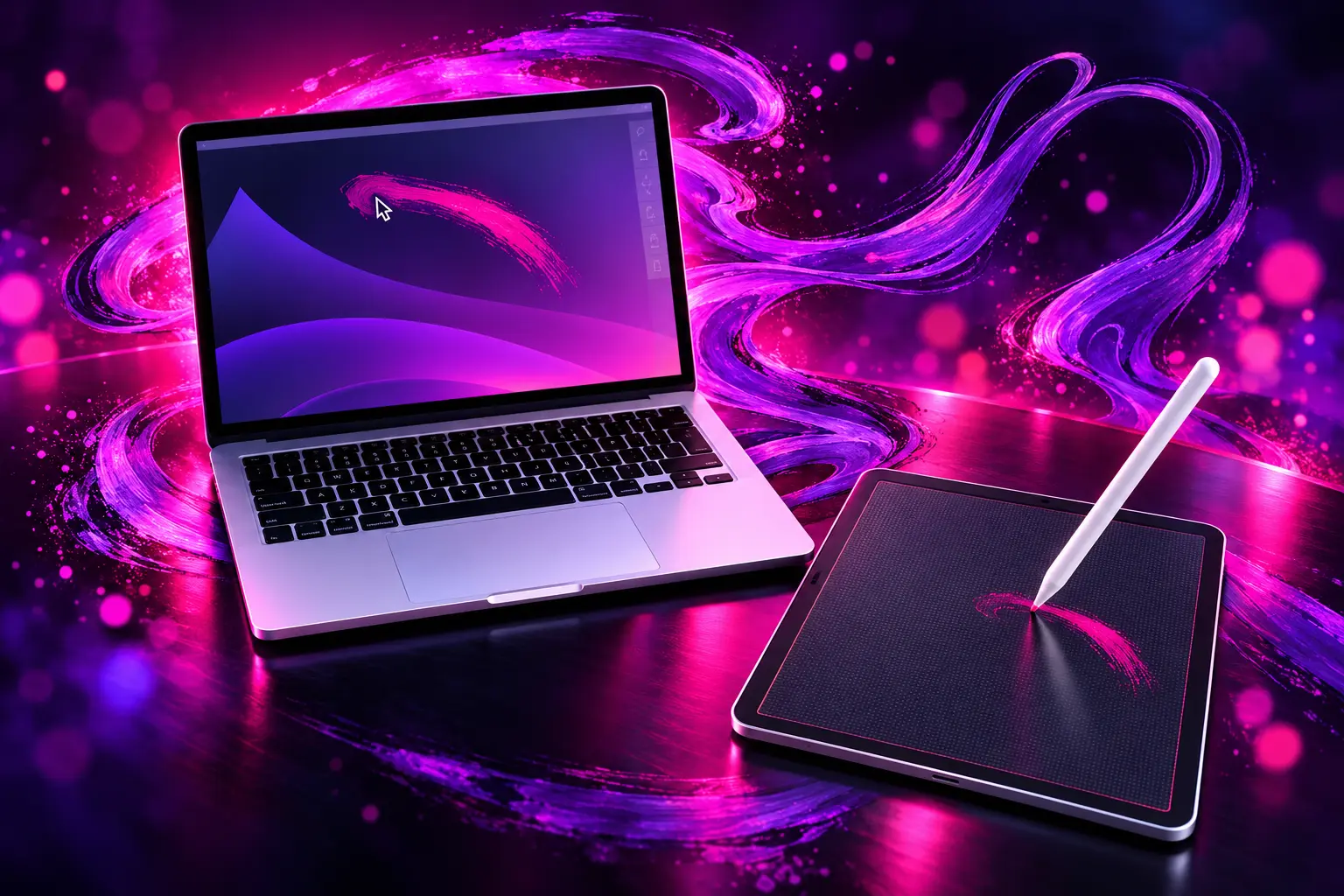
Blank Screen Mapping for Mac Artists
Slate maps iPad input onto the Mac desktop and shows only a blank screen on the tablet. That is the whole product argument. You look at the Mac. You draw, tap, and hover on glass that does not mirror Photoshop, Illustrator, or the menu bar.
Astropad’s help pages treat Slate and Studio as separate apps that you run one at a time. Studio is the flagship that mirrors the Mac or PC display onto the iPad so the canvas sits under the Pencil. Slate is the cheaper Mac-only cousin that behaves like a slab of plastic with a sensor, except the sensor is an iPad you already bought.
WHAT SLATE PUTS ON THE IPAD
- Mouse and trackpad: The Apple Pencil mirrors the Mac cursor, and one- and two-finger gestures scroll and zoom.
- Drawing tablet: The blank iPad sends Pencil strokes into desktop creative apps, with pressure on supported Pencils.
- Handwriting box: Writing on the iPad becomes typed text on the Mac, in place of the keyboard.
- Two cursor modes: Mouse-like relative motion acts like a giant trackpad; screen-mapping scales the iPad to the Mac display like a classic pen tablet.
You can skip the Pencil. Touch settings let one finger move the cursor, with a tap to click. Two fingers still scroll and zoom. That matters for households that have an old iPad and no stylus, and it is why the hover origin story is larger than the audience that actually has hover hardware.
An iPad mini on a cafe table is a workable shape for this. The blank glass becomes a portable tablet beside a MacBook, which is the job a small Intuos used to do in a bag. People also land here after a Wacom pen dies and the iPad is already on the desk. Those are replacement jobs, not a new drawing habit.
How Apple Pencil Hover Works in Slate
On iPads that support Apple Pencil hover, moving the Pencil over the glass moves the Mac cursor. A tap is a click. Apple’s iPad guide says you can hover up to 12 mm to preview a tool before it marks the page, and Slate uses that same hover path as pointer motion instead of showing a second canvas.
Apple’s Pencil Pro spec sheet lists hover on listed Pro and Air iPads, plus iPad Pro 11-inch (4th generation), iPad Pro 12.9-inch (6th generation), and iPad mini (A17 Pro). Older iPads do not get that hover field. Slate fakes it by letting you drag the Pencil lightly on the glass, with an adjustable pressure floor, then tap to click.
HOVER VERSUS THE SIMULATED PATH
- Native hover: Hold the Pencil above the iPad; the Mac pointer moves with no contact, and a tap clicks.
- Simulated hover: Light contact drags the pointer; pressure is adjustable; a tap still clicks.
- Finger fallback: One finger moves the pointer like a trackpad if you have no Pencil at all.
The simulated path is how most older hardware will actually use the app, even though hover is the feature Astropad cites as the spark. Screen-mapping is the mode that will feel familiar to anyone who has used a Wacom-style tablet, because a point on the iPad maps to a point on the Mac. Relative mode is closer to a giant Magic Trackpad, which is useful for menus and browsing and weaker for tracing a face in a photo.
$19.99 Buys Trackpad and Handwriting Too
The store price is the pitch against buying another slab of plastic. Slate is a $19.99 unlock on the iPad, Family Sharing can cover up to six people on the same purchase, and the Mac side is free. There is no in-app catalog under that price. There is also no trial, which is the first filter: you pay before you feel stroke delay on your own Wi-Fi.
Astropad’s help pages say Slate runs only with a Mac and an iPad. It does not support Windows, Android, or Linux. Studio is the product that crosses to PC and puts the desktop on the iPad screen. Apple already ships Sidecar, which is free, built into macOS, and shows the Mac on the iPad so the Pencil works on a visible canvas. Slate’s difference is the blank glass, plus handwriting into Mac text fields and the two mapping modes.
SLATE VERSUS STUDIO AND SIDECAR
| App | What the iPad shows | Computers | How you pay |
|---|---|---|---|
| Astropad Slate | Blank screen mapped to the Mac | Mac only | $19.99 one-time |
| Astropad Studio | Mirrored desktop | Mac or PC | Yearly plan, 14-day trial |
| Apple Sidecar | Mac display on the iPad | Mac only | Built into macOS |
Handwriting is a separate box on the iPad, not scribble across every Mac field. You write there, and typed text appears on the Mac. Gestures stay simple: one finger and two fingers, not the three-, four-, and five-finger trackpad set. Reviewers who wanted per-app shortcuts, Quick Keys, or Apple Pencil Pro squeeze have been asking for Studio’s extras, which Slate does not include.
Wired Connections Carry the Drawing Load
Slate can link over Wi-Fi, a USB cable, or peer-to-peer networking that skips the router. The App Store copy says USB is the fastest, lowest-latency path, and the reviews agree in plainer language. USB is called lagless. Peer-to-peer has a slight lag. Wi-Fi is called clunky, and in at least one review practically unusable.
The complaint that keeps coming back is not the $19.99 tag. It is the start of a stroke. Several buyers describe a pause until the Pencil is moving with enough pressure, after which tracking is fine. That hitch is ugly for handwriting and for lots of short marks. It is the reason a no-trial paywall stings: you only meet it after the charge clears.
There is a terrible delay at beginning of strokes, the app doesn’t register “writing” until pencil begins to move with enough downward pressure to initiate a line. While it tracks well after the initial movement has been recorded, there needs to be an update that reduces the delay so writing is instantaneous with pencil pressure at the start of a new line stroke.
Unhappy n’disgruntled, App Store review, October 10, 2024
A wired M4 iPad Pro can still freeze for several seconds and then recover, so a cable is not a complete fix. Palm rest is another practical gap: some people want to plant a hand on the glass the way they do on a Wacom, and the public help copy does not spell out rejection the way a hardware tablet’s driver does. For navigation, the giant-trackpad mode is the kinder use. For ink, USB plus screen-mapping is the combination owners keep recommending.
WHAT OWNERS KEEP HITTING
- US score: 4.1 out of 5 from 57 ratings, a small sample for a 2024 launch.
- USB: Reviewers call a cable the path with almost no lag.
- Wi-Fi: The same reviews call wireless drawing clunky or unusable.
- First stroke: A delay before a new line registers is the loudest drawing complaint.
SofiaDrawmore, writing the day after launch, wanted double-tap shortcuts and still noticed lag on quick strokes. Xeneuxe asked for per-app shortcuts, Quick Keys, and Pencil Pro tap and squeeze, and said Wi-Fi was the deal-breaker. Those notes describe a $19.99 input driver, not a full Studio workspace.
What Studio Adds That Slate Leaves Out
Studio remains the paid creative seat. It mirrors any desktop app onto the iPad, works with Mac and PC, and adds custom pressure curves, Magic Gestures, unlimited shortcuts, on-screen Quick Keys, and a 14-day trial. Slate has adjustable pressure and gestures, but it does not try to be that control surface. Astropad’s own FAQ says Slate maps input onto a blank iPad; Studio puts the desktop under the Pencil.
That split keeps Slate from eating the subscription. If you need to see the pixels you are painting, Sidecar is free and Studio is the paid upgrade. Slate is for people who already look at a Mac and want the iPad to behave like a tablet in the gap beside the keyboard. It is also the SKU that does not require a dongle. Luna Display is still the hardware path when the iPad should be a second monitor, and Rock Paper Pencil is the paper-feel film and tips Astropad sells for drawing on the iPad itself.
System help pages list older Macs back to Late 2013 MacBook Pro class machines, and iPads back to iPad mini 4, as long as the OS floors hold. Optimized copy still points at iPad Pro and Apple Pencil. Hover, squeeze, and barrel tricks stay on the newer Pencil and iPad pairs. Slate will run without them. It just will not feel like the 2022 demo that started the project.
Astropad has kept the listing, the $19.99 price, and the blank-screen rule, while the rest of the shop moved toward paper tips, Luna hardware, and newer iPad accessories. The bet paid off as a small, paid utility for Mac people who already own an iPad. It did not become a universal Wacom replacement, and the review thread is still about lag on the first mark.
Frequently Asked Questions
Does Astropad Slate Work on Windows?
No. Astropad’s help pages say Slate is only for a Mac paired with an iPad, and that it does not run on Windows, Android, or Linux. If you need the iPad to drive a PC, Studio is the Astropad app that supports Mac and PC and mirrors the desktop.
Can You Use Slate Without an Apple Pencil?
Yes. The product FAQ says you can switch Touch Settings so one finger moves the Mac cursor like a trackpad, tap to click, and use two fingers to scroll and zoom. Double tap and hold to drag. Hover, pressure, and simulated hover still need a Pencil.
Does Family Sharing Cover Astropad Slate?
Yes. The App Store listing includes Family Sharing, so up to six family members can use the paid iPad app once it is purchased. Each person still needs a compatible iPad, and the Mac companion still has to run on the Mac you want to control.
Which iPads Get Real Apple Pencil Hover?
Apple documents native hover on iPad Pro (M4 and M5), iPad Pro 11-inch (4th generation), iPad Pro 12.9-inch (6th generation), iPad Air (M2 and M3), and iPad mini (A17 Pro), with the Pencil held up to 12 mm above the glass. Slate simulates hover on older iPads by reading a light drag instead of true hover.
Where Do You Get the Mac App for Slate?
The iPad app is the $19.99 App Store purchase. The Mac companion is a separate free download; Astropad points installers to astropad.com/slate/mac from the store listing and the setup guide. You open both apps, then pick Wi-Fi, USB, or peer-to-peer.
The listing is still the same $19.99 Mac utility Astropad shipped on February 15, 2024, blank screen and all. Owners who stay with it treat a USB cable as part of the kit, and they use the iPad they already own instead of another plastic tablet.

Cook Hands Democrats the House as Crypto’s Bill Stays Dead

Wicker’s Broken Bed Was the Short Story’s Punch Line

Nvidia’s $500 Billion Financing Plan Draws a $180 Sell

Maserati Bets the Grecale V6 Can Fill Porsche’s Gap

EV Cable Theft Follows the Old Railway Copper Playbook

Aramco Crash Kills 14 Two Days After Oil Restart

Salah Captained Egypt to Their First World Cup Win

Zelda’s 40th Switch 2 Ships Without a Zelda Game

Apple Labor Day Deals Hide June’s Memory Price Hike

El Niño Puts Israel’s Needed Winter Rain on a Flood Clock
-
 BUSINESS4 months ago
Aramco Crash Kills 14 Two Days After Oil Restart
-
 NEWS5 months ago
Salah Captained Egypt to Their First World Cup Win
-
 GAMING2 months ago
Zelda’s 40th Switch 2 Ships Without a Zelda Game
-
 NEWS2 months ago
Apple Labor Day Deals Hide June’s Memory Price Hike
-
 NEWS4 months ago
El Niño Puts Israel’s Needed Winter Rain on a Flood Clock
-

 GAMING2 months ago
Palworld 1.0.4 Adds Palpedia Search After the 1.0 Launch
-

 BUSINESS9 months ago
BAE’s 60-Year Saudi Franchise Now Runs Through Taif
-

 NEWS4 months ago
Saudi Visa Routes Split Nigerian Travelers Into Two Speeds