
Motorola built a twist-of-the-wrist camera trigger into a phone back in 2013. That was three years before Samsung shipped a real always-on display and more than a decade before Google gave Android its own native desktop mode this spring. Motorola’s Hello UI software, running today on the Razr and Edge lines, keeps shipping gestures, ambient screens and cross-device tricks that the rest of Android eventually copies.
Most Motorola owners never get to watch that payoff arrive, though. The company’s own update commitments still swing from two years on some phones to seven on exactly one, and that gap keeps undercutting software that keeps winning the argument on its own merits.
Where Motorola’s Software Leads
Hello UI is Motorola’s name for the software layered on top of Android, and five of its tricks explain why longtime users struggle to switch away. Two twists of the wrist launch the camera. A double chop turns on the flashlight. Neither needs the screen on first.
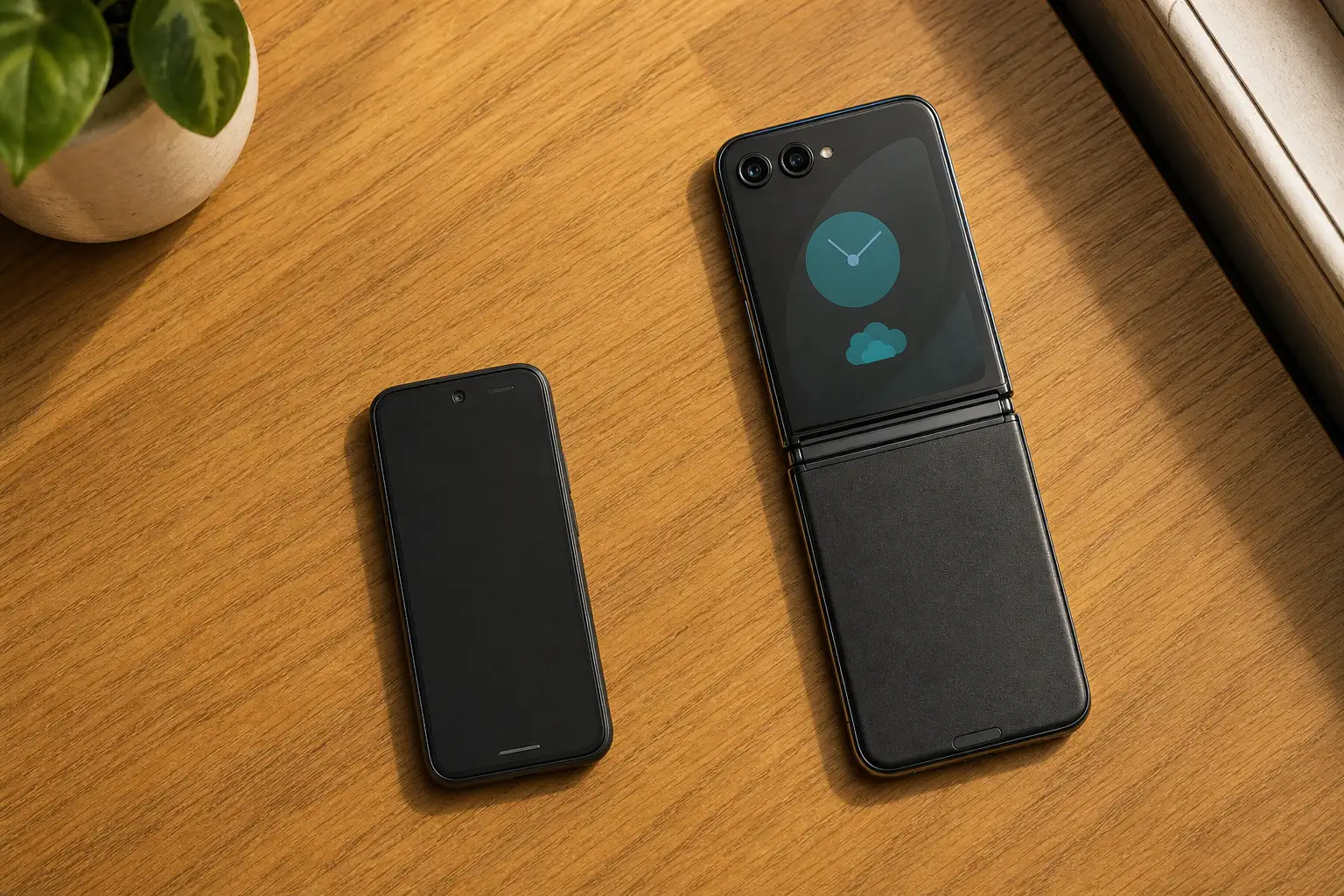
Desk Display turns a folded Razr into a bedside clock or an ambient dashboard, showing weather, notifications and media controls without anyone touching the screen. Manual Material You hands over a color wheel and a pipette tool, so the system theme can match a photo’s exact shade instead of picking from a handful of presets. Holding the volume keys skips a track with the display off. Smart Connect turns the phone into a webcam, a second monitor or a wireless desktop for a Windows PC, and syncs clipboards and hotspots between two Android phones.
| Feature | What It Does | What Most Android Phones Still Lack |
|---|---|---|
| Quick Gestures | Two wrist twists launch the camera; a double chop turns on the flashlight, screen on or off | A dedicated motion shortcut for either action without touching a button |
| Desk Display | A folded Razr shows a large clock, weather, notifications and media controls without waking the phone | Samsung’s closest answer, Daily Board, only runs on tablets |
| Manual Material You | A color wheel and a photo pipette set the exact system accent color | Most rivals cap users to a handful of preset tones |
| Screen-Off Media Controls | Holding the volume keys skips or repeats a track with the display off | Most phones require the screen on and the notification shade open |
| Smart Connect | Turns a phone into a webcam, second monitor or wireless desktop, and syncs clipboards between Android devices | Apple limits its version, Universal Control, to Mac and iPad only |
Older razr40 Ultra and razr40 units even saw steep promotional discounts during Motorola’s own Moto Days event, part of a broader push to get more foldables into more hands. Motorola has been shipping ideas like these since long before Hello UI had a name.
Motorola Beat Everyone to the Always-On Screen
The Moto X arrived in August 2013 as a joint project between Motorola and Google, which owned the company outright at the time. It introduced Active Display, a screen that lit up with the time and notification icons whenever the phone was picked up or moved, alongside the twist gesture for the camera. A decade-later retrospective would call it the first Google Pixel in all but name.
Nokia answered within the year with its own ambient screen, Glance Screen, on the Lumia 925. Samsung didn’t add a true always-on display until the Galaxy S7 in 2016, three years after Motorola’s original. Google, meanwhile, sold the company it had bought for $12.5 billion two years earlier to Lenovo for roughly $2.9 billion in October 2014.
- 2013: Motorola launches the Moto X with Active Display and a twist-of-the-wrist camera gesture while Google still owns the company.
- 2013: Nokia answers with its own ambient screen, Glance Screen, on the Lumia 925.
- 2014: Google sells Motorola Mobility to Lenovo for about $2.9 billion.
- 2016: Samsung finally ships a true always-on display on the Galaxy S7.
- 2026: Google adds a native desktop mode to Android, a trick Motorola’s Smart Connect had already offered wirelessly.
Motorola’s current version of that ambient screen, Peek Display, still hasn’t changed the core idea, according to a recent teardown of the feature.
It’s ridiculous to think the company’s modern devices couldn’t handle an always-on display, yet that’s the excuse Motorola sticks to.
Android Police made that case in a piece arguing modern batteries erased Motorola’s old rationale for skipping a true always-on screen. Bigger batteries and efficient OLED panels, the outlet noted, removed the excuse Motorola had in 2013.
Who Ends Up Copying Motorola’s Ideas?
Usually Google. The wrist gesture, the ambient screen and now the phone-as-desktop trick all began as smaller players’ ideas that Android’s steward eventually folded into the core operating system, typically years after the phones that popularized them had already aged out of support.
Samsung built DeX, its desktop-on-a-monitor feature, back in 2017 after adapting desktop code Google had already tucked into Android. Motorola’s Smart Connect offers a wireless version of the same trick today, complete with Moto AI voice commands that hand a screen off to a PC or TV. Google didn’t ship its own native desktop mode until this year’s March Pixel Drop, and even then Android’s native Desktop Mode borrows heavily from Samsung DeX.
- 2017: Samsung launches DeX for Galaxy phones after building on desktop code already sitting inside Android.
- Today: Motorola’s Smart Connect offers a wireless version of the same trick, tied to Moto AI voice commands.
- This year: Google ships a native desktop mode for Pixel 8 and newer, built in part on lessons from DeX.
Smart Connect hasn’t made that jump yet. It isn’t part of stock Android, and Google hasn’t said whether that changes.
The Update Habit That Undercuts the Software
Hello UI’s reputation runs into a hard wall the moment the update clock starts. Motorola’s commitments now range from two years to seven, often on phones released the same season.
Two Years on a $947 Flagship
The Edge 70 Max launched this year as one of Motorola’s strongest phones on paper: a flagship Qualcomm chip, a silicon-carbon battery and fast charging for about £700, or roughly $947. Its update promise doesn’t match that spec sheet. Motorola’s own UK product page guarantees just two Android OS upgrades and up to three years of security updates, starting from the phone’s global launch date. It shipped on Android 16, which likely makes Android 18 its last major upgrade.
The budget Moto G (2026) fares worse: two years of OS upgrades plus only one additional year of security patches. The Moto G17 and Moto G17 Power went further still, launching on Android 15 seven months after Android 16 already existed, with no commitment to ever receive it.
Seven Years for Two Phones, Not the Rest
Motorola broke its own pattern this year with the Signature, its first non-foldable premium phone in years. The company promised up to seven major Android OS upgrades and seven years of security updates, calling it an industry-leading longevity policy. At least one buyer posted in Motorola’s own community forum in April that the phone’s security patch level was still stuck on January, months after purchase.
The Razr (2026), Razr Plus (2026) and Razr Ultra (2026) didn’t get the same treatment. All three still carry the three-year OS and four-year security policy Motorola has used since the Razr (2023) series, the very lineup credited with reviving Motorola’s foldable business.
- 2 years: OS upgrades on the Moto G (2026), plus a single extra year of security patches.
- 3 years: OS upgrades and 4 years of security updates across the entire Razr (2026) family.
- 7 years: OS upgrades and security updates promised for the Signature, a policy covering exactly one phone so far.
- 4 years: of major OS upgrades Samsung already guarantees on the budget Galaxy A15.
Samsung, by comparison, pushed a One UI 6 refresh to its budget Fan Edition tablet well within its first year on shelves, the kind of timely mid-tier support Motorola’s own G-series still lacks. Motorola’s Edge Plus line has faced a version of this complaint for years, with wish lists asking the company to close the gap between flagship-grade hardware and flagship-grade support before the next model even ships.
The Sales Numbers Still Lag the Software
Motorola keeps growing anyway. Omdia’s tracker put the company at 11% of the US smartphone market and 3.6 million units shipped between January and March this year, a year-on-year gain that outpaced Apple, Samsung and Google in the same quarter.
That growth arrives while the wider market shrinks. The International Data Corporation forecasts global smartphone shipments will fall 13.9% year-over-year in 2026, weighed down by memory-chip shortages that pushed component costs up sharply in several emerging markets. Samsung still reclaimed the top global spot in the first quarter on the strength of its Galaxy S26 Ultra.
Motorola doesn’t sell its longest-supported phone, the Signature, in the United States at all. Everything Hello UI does well in that market still runs on a two-to-four-year clock.
Frequently Asked Questions
Is the Motorola Signature available in the United States?
No. Motorola has kept the Signature, the only phone in its lineup with a seven-year update promise, limited to markets outside the US so far. One industry analysis has argued that absence is holding back Motorola’s domestic market share, since the phone would otherwise compete directly with Samsung and Apple’s longest-supported flagships.
Which phones currently support Google’s native Android Desktop Mode?
As of this year’s rollout, Desktop Mode works on Pixel 8, 9 and 10 series phones, the Pixel Tablet, and Samsung’s Galaxy S26, Fold7, Flip7 and Tab S11. No Motorola device is on that list yet, even though Smart Connect has offered a similar wireless desktop trick for longer.
Does Motorola’s Smart Connect work with an iPhone?
Partly. Smart Connect can share files with iPhones and iPads, but it can’t mirror a screen, extend a display or sync a clipboard the way it does between two Android phones or a Windows PC. That file-sharing link matters less now that AirDrop-style sharing exists on many Android phones directly.
What is Peek Display, and how is it different from Active Display?
Peek Display is Motorola’s current ambient screen, the direct descendant of 2013’s Active Display. Both light up a portion of the screen for time and notifications when the phone moves, rather than staying on permanently like a true always-on display. Peek Display adds more widgets and options than the original did, but the core mechanic hasn’t changed in over a decade.
Can I get Motorola-style twist gestures on a Pixel or Samsung phone?
Not the same one. Google built its own toned-down alternatives for Pixel phones, including a raise-to-wake motion, a flip-to-silence gesture and a double tap on the phone’s back, rather than copying Motorola’s twist-and-chop combination directly. Samsung offers a similar double-tap-to-wake option but no dedicated camera-launch gesture built into its motion sensors.
